Agile SDLC
Table of Contents
- Refined Stories vs. Fluid Stories
- User Stories
- Task Titles
- User Story Titles
- User Story Splitting
- Improvement Titles
Priorities
- progressive enhancement
- seamlessness
- speed is king (launching quickly, handling interruptions, handling terminations)
- immersive
Code Reviews
Refinement
Refined Stories vs. Fluid Stories
In agile software development, refined stories and fluid stories refer to different stages of story development in sprint planning.
Refined stories are those that have been thoroughly analyzed, discussed, and estimated by the development team and stakeholders before the sprint planning meeting. These stories have clear acceptance criteria, are well-defined, and have a good understanding of the work that needs to be done. The purpose of refining stories is to reduce uncertainty and ensure that the team has a clear understanding of what needs to be accomplished during the sprint.
On the other hand, fluid stories are those that are still in the process of being analyzed and refined. They may not have clearly defined acceptance criteria, and there may be some uncertainty around the work that needs to be done. These stories are often discussed and refined during the sprint planning meeting, with the development team and stakeholders working together to clarify the requirements and estimate the work involved.
The main difference between refined stories and fluid stories is the level of detail and clarity around the work that needs to be done. Refined stories are more concrete and specific, while fluid stories are still in the process of being defined. During sprint planning, the team should aim to have a mix of both refined and fluid stories to ensure that they have a clear understanding of what needs to be accomplished during the sprint, while still allowing for some flexibility to adapt to changing requirements or new information.
User Stories
Task Titles
A task is an activity that needs to be performed that doesn’t fall into one of the other task types. This is often something the team has to do but doesn’t result in code.
The proposed formats for task titles are:
<verb/action><activity>(e.g. “Perform backup”)<verb/action><thing>(e.g. “Research new javascript framework”)
These formats are also based on our analysis of raw data.
User Story Titles
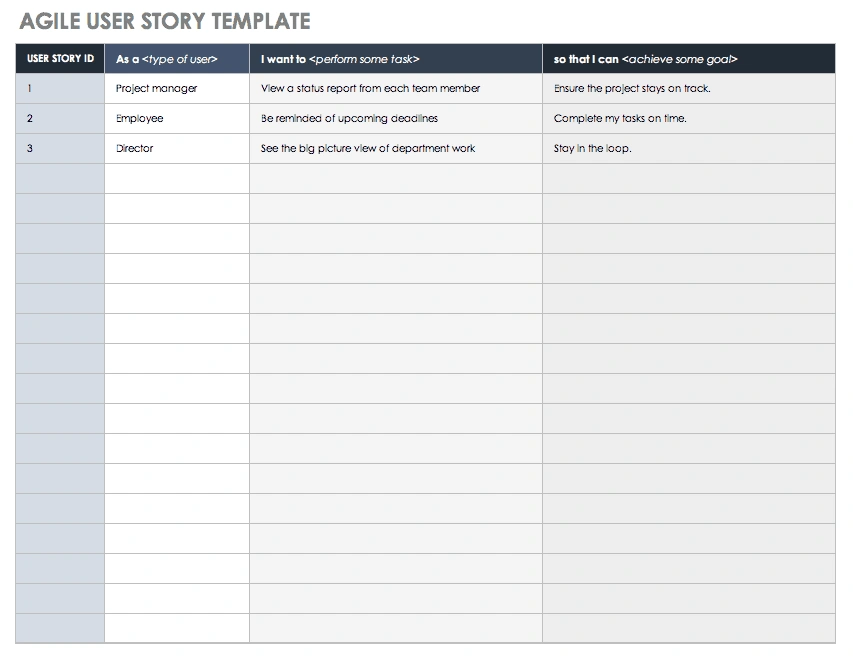
A user story is a behaviour or feature that a solution needs to implement in order to fulfil the needs of a user.
The proposed formats for user story titles are:
- As
<a><persona/type of user>, I want<something>so that<some reason>(e.g. As Sam Spendsalot, I want to one-click purchase so that I can get my goods as quickly as possible) - As a
<persona/type of user>, I want<something>(e.g. As a User, I want to create a task) <persona/type of user><performs action on><thing>(e.g. User visits home page OR User creates a task)
The format for user story titles is thanks to Microsoft’s MSDN who credit this to Mike Cohn at Mountain Goat Software.
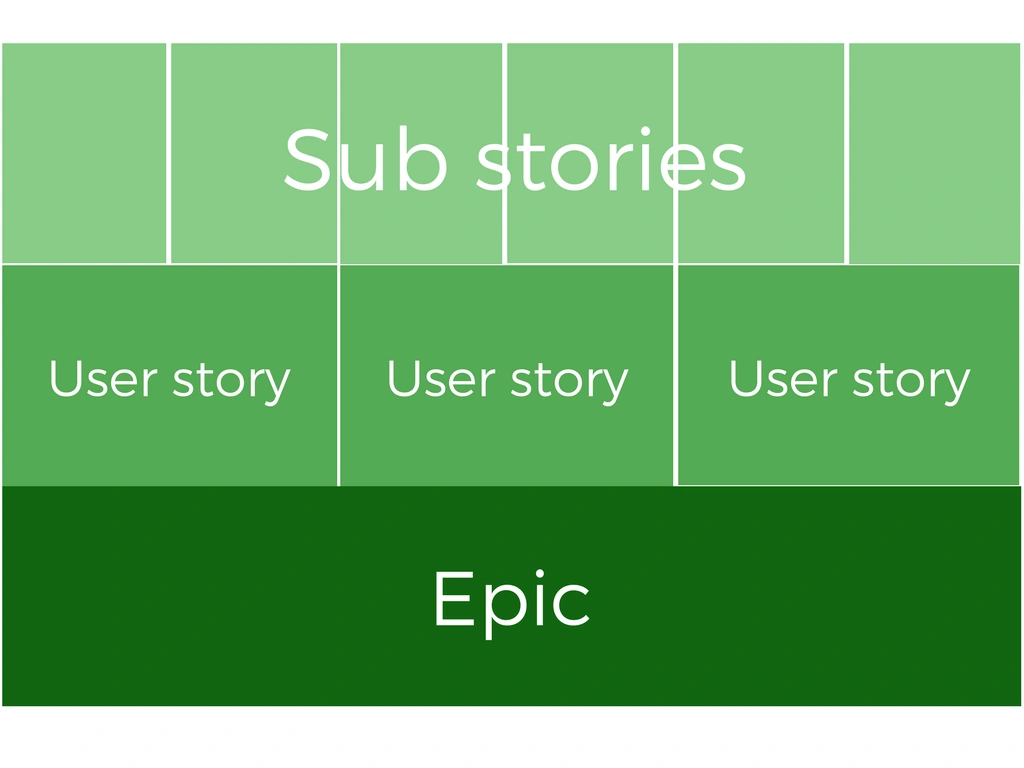
User Story Splitting
https://www.slideshare.net/pmboos/user-story-splitting
Time Estimation
Limitations of LOC as a Measure:
- Language Dependency: The same functionality requires different LOC in different languages. For instance, 100 lines of assembly code might equate to 10 lines of Python for similar functionality due to abstraction levels.
- Code Quality: LOC doesn't account for code efficiency or quality. Two programs with the same functionality can have vastly different LOC due to coding style, redundancy, or optimization.
- Non-Functional Aspects: LOC doesn't capture complexity from design, architecture, or non-code artifacts (e.g., documentation, tests).
- Comments and Formatting: Inflated LOC from verbose commenting or formatting can misrepresent actual size.
Alternative Metrics:
- Function Points (FP): Measures software size based on user functionality (inputs, outputs, queries, etc.), independent of programming language. FP often correlates better with effort than LOC.
- Cyclomatic Complexity: Measures code complexity based on control flow, which can indicate size in terms of maintainability rather than raw LOC.
- Object-Oriented Metrics: For object-oriented systems, metrics like the number of classes, methods, or interfaces may better reflect size.
Estimation: LOC is used in models like COCOMO to estimate development time and cost, but inaccurate LOC estimates can lead to poor predictions.
Microsoft Windows (~50 million LOC)
Improvement Titles
Improvement tasks are usually minor changes to functionality.
The proposed title formats for improvements are:
<endpoint>> also<additional functionality>(e.g. POST /api/v1/users > also accept date of birth)<component>> also < additional functionality/- Make
<feature>run faster - Improve the performance of
<feature/screen/endpoint> - Update
<feature><with/to><update> - Rename
<feature/text>to<new name>
New Feature Titles
This type of task is mostly used with services or components that are somewhat removed from the end user, such as API endpoints.
The proposed title formats for new features are:
- Implement
<endpoint>(e.g. Implement POST /api/v1/users) - Create endpoint
<endpoint>(e.g. Create endpoint POST /api/v1/users)
Points Estimation (Relative Sizing)
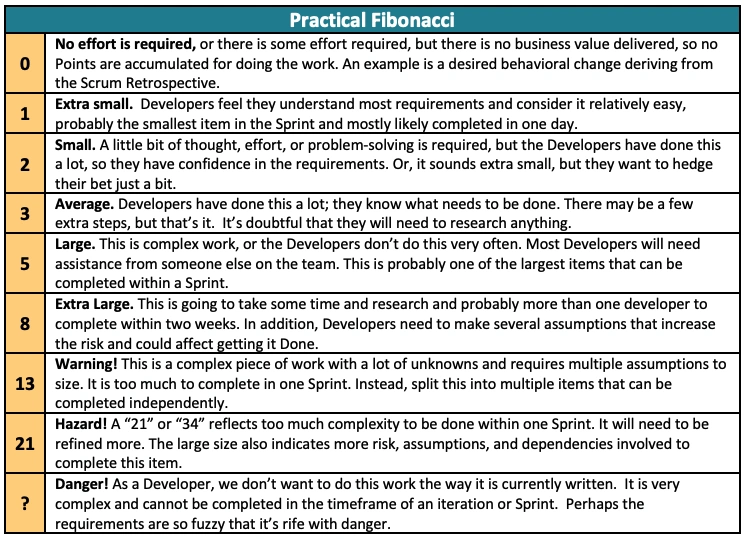
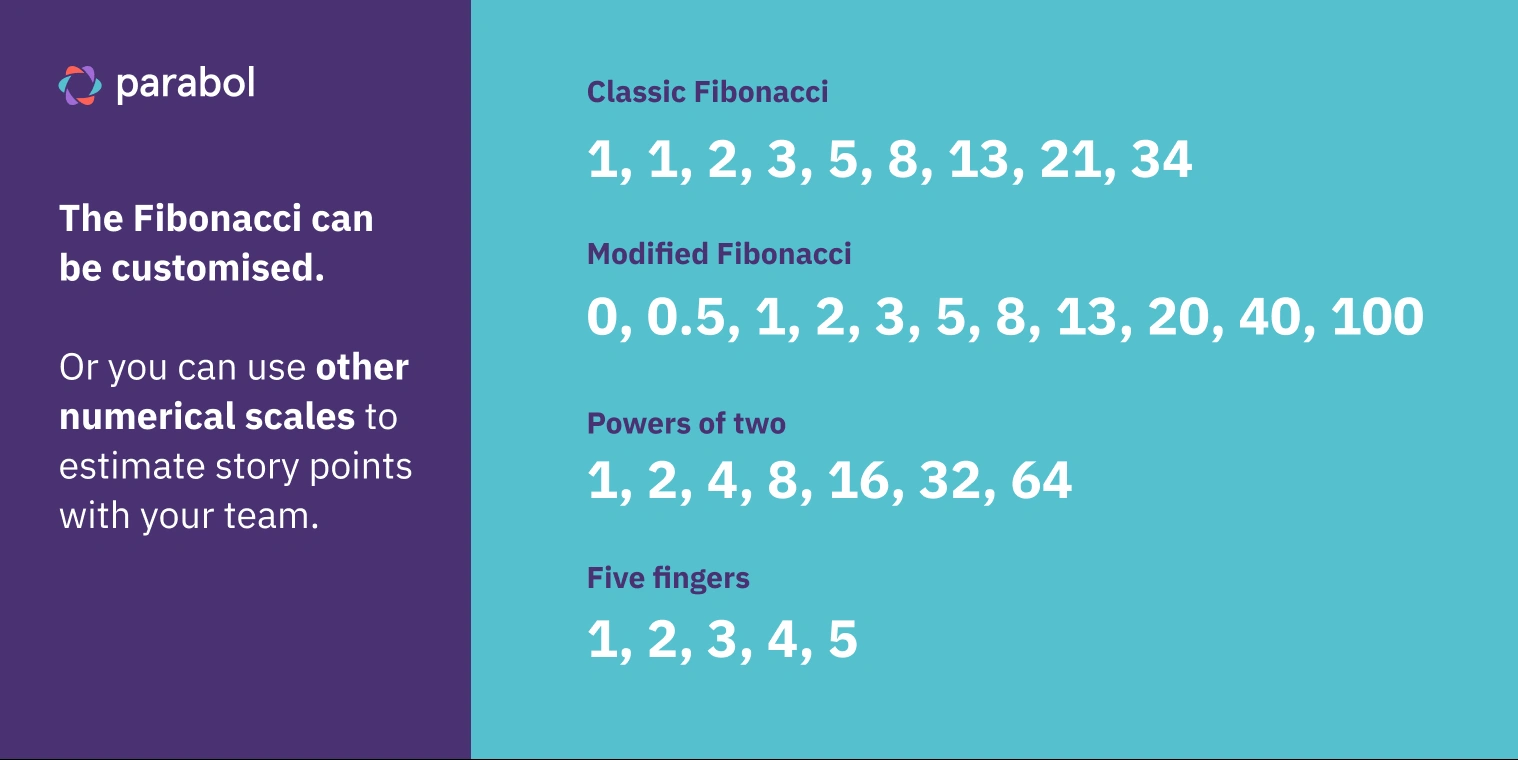
Fibonacci sequence (1, 2, 3, 5, 8, 13, and so on).
Modified
For instance, if Story A is high risk but low effort and Story B is low risk but high effort, how do you size them? If Story A is a 5, is Story B a 3 because it’s lower risk and that’s more important to the team? Is it an 8 because of the effort and the fact that Story A’s risk might not materialize and the effort will be low? Is Story B a 5 because the difference in risk cancels out the difference in effort?

Bugs
Bug Titles
A bug is a problem that impairs a product or service’s functionality.
The proposed formats for bug titles are:
<person/type of user>can’t<perform action/get result they should be able to>(e.g. New User can’t view home screen)- When
<performing some action/event occurs>, the<system feature>doesn’t work - When
<persona/type of user><performs some action>, the<system feature>doesn’t work <system feature>doesn’t work<system feature>should<expected behaviour>but doesn’t<system feature><is not/does not><expected behaviour><persona/user type><gets result>but should<get different result><quick name>.<one of the formats above>(e.g. “Broken button. New User can’t click the Next button on Step 2 of the Wizard”).
The bug title formats are based on our analysis of close to 5,000 tasks across a few different organisations, projects and teams.