UX Foundations And Writing
Source: ux-tools.md
UX Research & Design Tools
This section covers user experience research methodologies, design tools, prototyping techniques, and design system components.
UX Research Methods
Coming soon - usability testing, user interviews, and research methodologies
Design Tools & Software
Coming soon - Figma, Storybook, and design tool implementations
Prototyping & Animation
Coming soon - interactive prototypes and animation techniques
Design Systems
Coming soon - component libraries and design system documentation
Heuristics & Best Practices
Coming soon - UX heuristics and design best practices
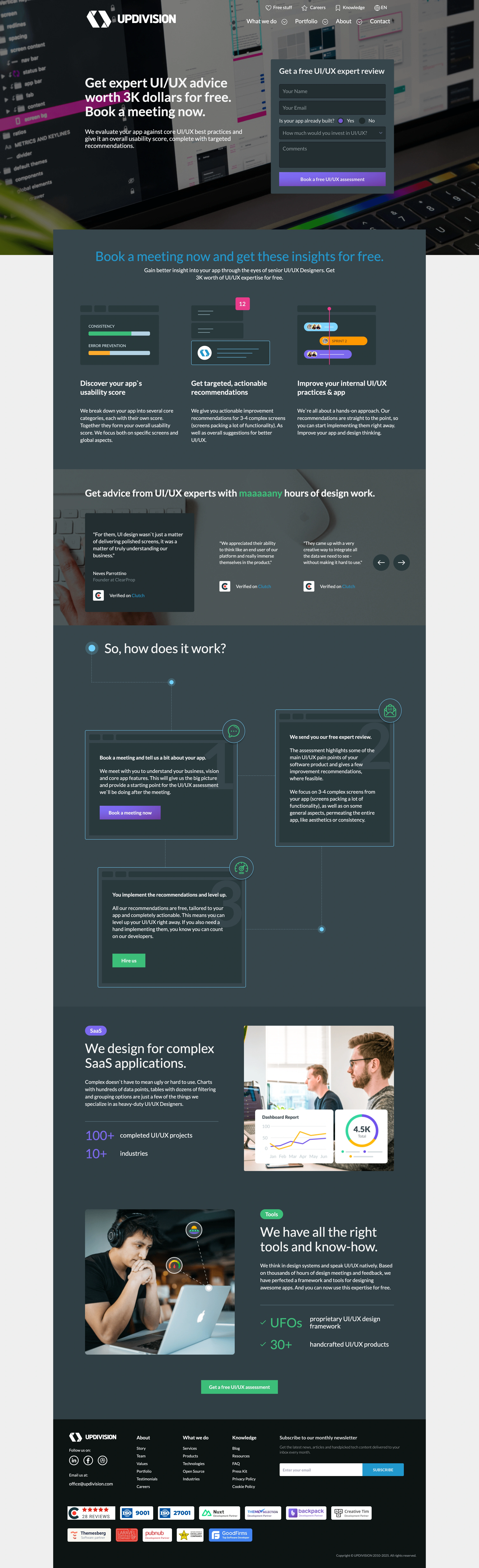
Free UX Audit Process
UX Audit Materials
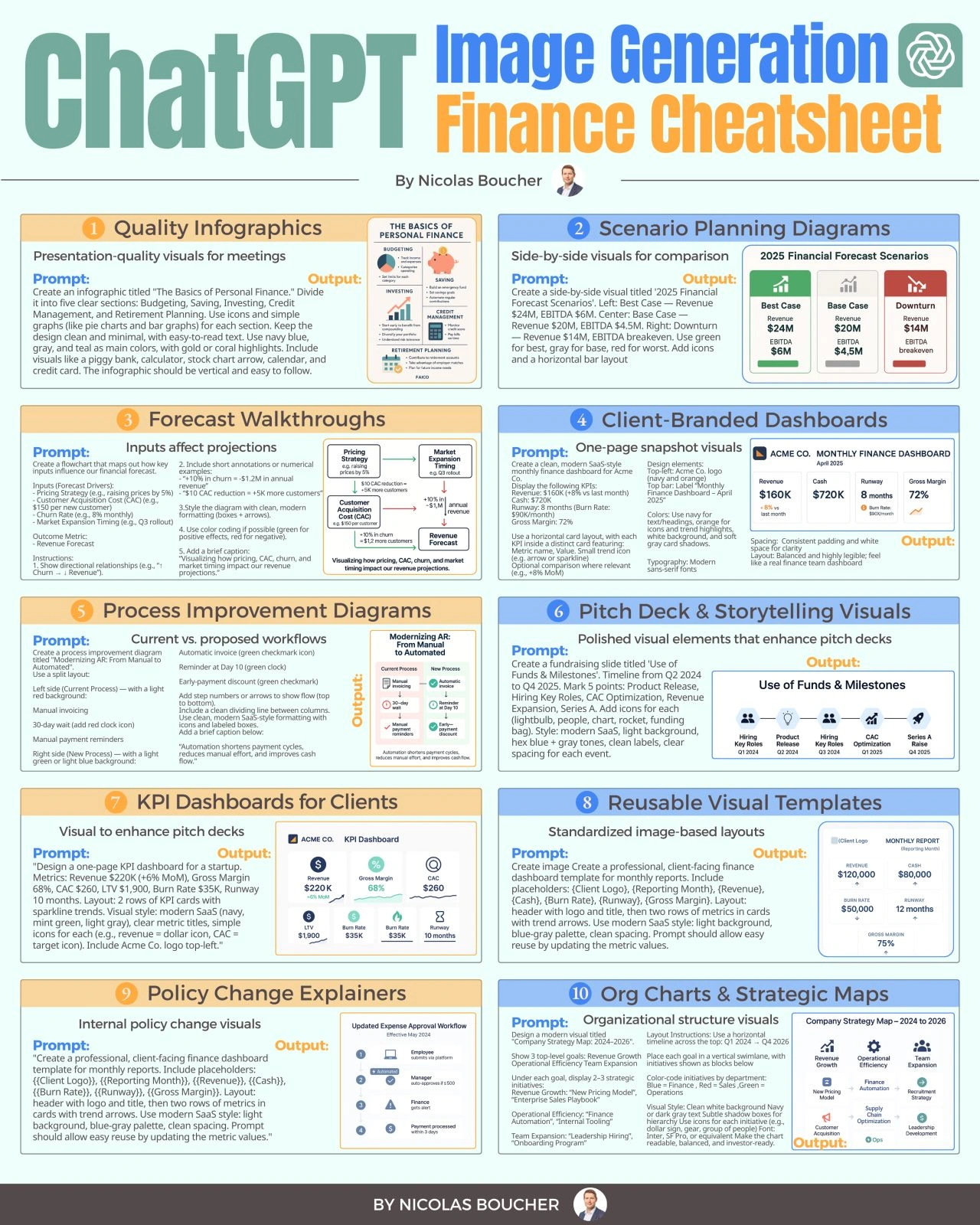
AI-Powered Design
AI Generated Images
Source: ux-testing.md
UX Testing
EPAM Test IO
EPAM Display and Test IO both offer robust solutions for UX testing, each with unique features and benefits.
-
EPAM Display: This tool is specifically designed for UI testing in the design stage. It allows you to test prototypes and sketches, gather user feedback, and validate ideas before development. Key features include:
- Preference Test: Useful for choosing the best of 2 or more options, getting emotional feedback, or understanding user engagement and satisfaction.
- Goal Test: Helps define the success rate of performing tasks or understand the conversion rate in critical user touchpoints.
- Real-Time Collaboration: Work with the product team in real-time, get immediate feedback, and track progress efficiently.
- Figma Integration: Supports the download of even complex and large Figma prototypes.
-
Test IO: This platform provides on-demand access to over 400,000 distributed QA experts for comprehensive testing, including UX testing. Key features include:
- On-Demand Crowd Testing: Scalable teams conduct website and mobile testing on real devices, 24 hours a day.
- Cross-Device & Browser Coverage: Testers cover a wide range of browsers and operating systems, ensuring comprehensive testing.
- Detailed Bug Reports: Receive detailed step-by-step instructions on how to reproduce bugs, along with original device reproductions and screencasts.
- Native Platform Integrations: Directly export issues into major bug trackers like Jira, Azure DevOps, or GitHub.
- Unbiased User Feedback: Test IO provides unbiased users who emulate real consumers, ensuring that issues are caught before release.
Both tools are designed to enhance the quality of user experiences and help you make informed decisions early in the development process, ultimately leading to more satisfied customers and better products. [3]
Related UX Testing Images
Here are some visual resources related to UX testing methods and processes:


Source: ux-hygiene.md
UX Hygiene
Here are some key aspects of UX hygiene:
-
Consistency: Consistency is vital for a good user experience. Maintain consistent design elements, such as colors, typography, icons, and layout throughout the interface. Consistency helps users understand and navigate the product more easily.
-
Simplicity: Keep the user interface simple and intuitive. Avoid cluttered screens, excessive features, or complex workflows. Strive for a clean and uncluttered design that focuses on the essential tasks and information.
-
Usability: Ensure that your product is easy to use and understand. Conduct usability testing to identify any usability issues and address them. Provide clear instructions, intuitive navigation, and error prevention mechanisms.
-
Accessibility: Design your product to be accessible to users with disabilities. Follow accessibility guidelines, such as providing alternative text for images, using proper color contrast, and designing for keyboard navigation. Consider diverse user needs, including those with visual impairments, hearing impairments, or motor limitations.
-
Responsive Design: Optimize your product for different screen sizes and devices. Implement responsive design techniques to ensure that the user interface adapts seamlessly to various resolutions and orientations.
-
Performance Optimization: Pay attention to the performance of your product. Optimize loading times, minimize delays, and reduce unnecessary animations or transitions. Users expect fast and responsive experiences.
-
Error Handling: Design effective error messages and feedback mechanisms. Clearly communicate errors to users and provide guidance on how to resolve them. Avoid technical jargon and use plain language to convey error messages.
-
User Feedback: Encourage and collect user feedback to understand their needs, pain points, and suggestions for improvement. Regularly review and analyze user feedback to identify areas of improvement and address user concerns.
-
Security and Privacy: Prioritize the security and privacy of user data. Implement appropriate security measures and communicate your privacy policies clearly. Ensure that user data is handled securely and transparently.
-
Continuous Improvement: UX hygiene is an ongoing process. Continuously evaluate and refine your product based on user feedback, user behavior analytics, and industry best practices. Stay updated with the latest UX trends and technologies.
Source: ux-writing.md
UX Writing
UX writing, also known as user experience writing, is the practice of creating the text that appears in digital products such as websites, apps, and software interfaces. The goal of UX writing is to provide the user with clear, concise, and helpful messaging that guides them through the product and helps them complete tasks or achieve their goals.
UX writers are responsible for crafting everything from button labels and error messages to onboarding flows and user manuals. They work closely with designers, product managers, and developers to ensure that the messaging in the product is consistent with the overall user experience. Good UX writing takes into account the user's needs, emotions, and behaviors, and uses language that is easy to understand and accessible to a wide range of users.
Five Common Mistakes in UX Writing
The first mistake is using jargon and technical language that users may not understand. The article suggests using plain language and avoiding industry-specific terms.
The second mistake is providing too much information at once, which can overwhelm users. The article recommends breaking up information into manageable chunks and using progressive disclosure to reveal information as needed.
The third mistake is using negative language, such as error messages that blame the user. The article suggests using positive language and providing solutions rather than just pointing out the problem.
The fourth mistake is not considering the context in which the messaging will be displayed. The article recommends considering factors such as the user's emotional state, the device they are using, and the stage of the user journey.
The fifth mistake is not testing the messaging with users to ensure it is clear and effective. The article suggests conducting user testing and iterating on messaging based on feedback.
Overall, the article emphasizes the importance of clear and concise messaging in UX writing and provides practical tips for avoiding common mistakes.
CTA Button copy
UX Writing Example > Tactfully referring a lead to a partner
DOs
- acknowledege the prospect has options from many different competitors of yours
- we make it easy to compare our quotes or prices
- we'll help you get a good fit for your budget, even if it's not us
- our partners/affiliates are trusted and experienced
Donts
- apologizing
- shaming
- guarantees of better pricing
- outright telling them off, that we aren't a right fit for them
- inferring that we are more expensive, and our partners are cheaper
Use your and my when possible to make buttons compelling and add warmth
Button copy should be action-oriented and begin with a verb. Use exciting verbs like "Get", "File", "Track", and try to avoid boring words like "Submit" and "Enter."
Button copy should also clearly tell users what will happen next. Most of the time, this means pairing a verb with a noun, e.g., "File my claim."
| table | examples |
|---|---|
| DO | DON'T |
<button>Get your quote</button> | <button>Get Quote</button> |
<button>File My Claim</button> | <button>Submit</button> |
<button>Get your quote</button> | <button>enter</button> |
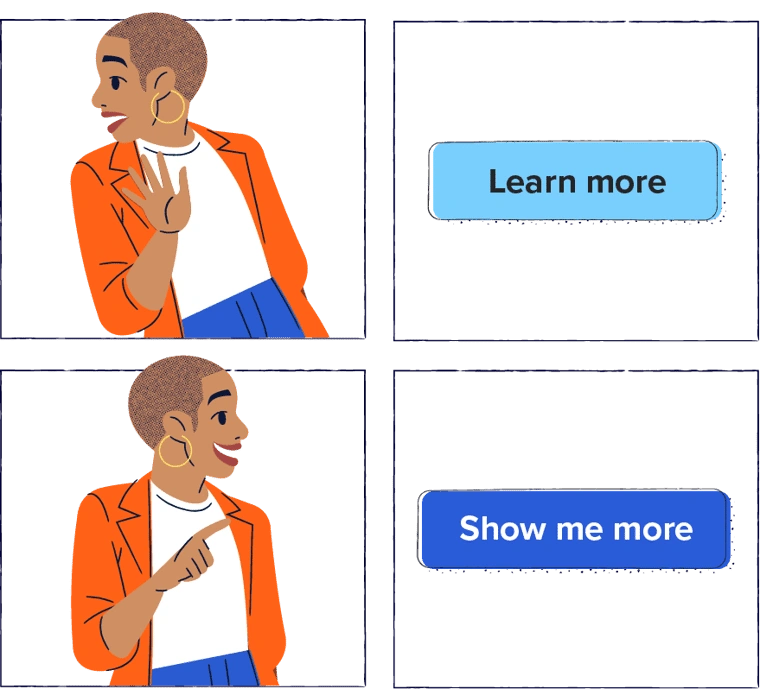
Want someone to take an action? Actions = verbs, so use them!
Instead of sharing a link that says “Free Tickets,” you might say “Claim your free tickets.” Simple as it sounds, it’s something many brands overlook.