REACT js
Table of Contents
Overview
React is a JavaScript library for building user interfaces, and it was developed by Facebook in 2011. It was first released to the public in March 2013. React was created to address the need for a more efficient way to build complex and interactive user interfaces for web applications.
The initial release of React introduced a concept called "React components," which are reusable building blocks for UI elements. React components are written using a declarative syntax that allows developers to describe how the UI should look at any given time, and React takes care of updating the UI efficiently when the underlying data changes.
One of the key features of React is its virtual DOM (Document Object Model). The virtual DOM is an in-memory representation of the actual DOM, which allows React to perform efficient updates by only modifying the parts of the UI that have changed. This approach helps to minimize the number of expensive DOM operations and improve the performance of React applications.
React gained popularity quickly within the developer community due to its simplicity, performance, and scalability. It was adopted by various companies and developers worldwide, and its ecosystem grew rapidly. In 2015, Facebook open-sourced React, allowing anyone to use and contribute to its development.
React has been widely used in the industry to build single-page applications, mobile applications, and even desktop applications. In addition to the core React library, a number of related tools and libraries have emerged to enhance and complement React development. Some notable ones include React Router for handling routing, Redux for state management, and Next.js for server-side rendering.
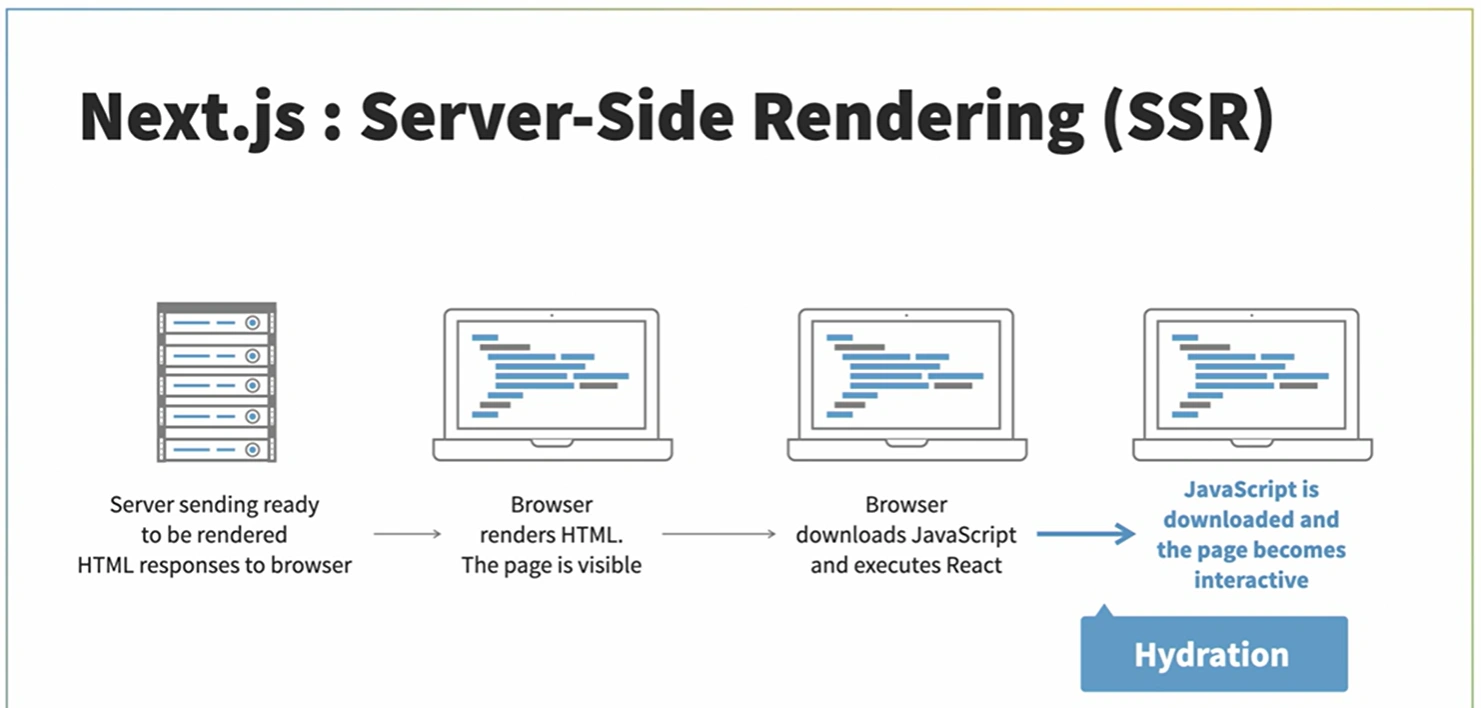
Over the years, React has undergone several updates and improvements. Facebook has been actively maintaining and evolving React, introducing new features, performance optimizations, and APIs to make it more powerful and developer-friendly. React has also seen community-driven innovations and contributions, which have helped to shape its ecosystem and expand its capabilities.
React continues to be a popular choice for front-end development, and its community remains active and vibrant. The latest stable version of React is React 18.
-
Component-Based Architecture: React promotes a component-based approach to building UIs. Components are self-contained, reusable building blocks that encapsulate their own logic and UI structure. This modular approach makes it easier to manage and maintain large-scale applications.
-
Virtual DOM: React uses a virtual DOM (Document Object Model) to efficiently update the user interface. The virtual DOM is a lightweight representation of the actual DOM, and React uses it to determine the minimal set of changes needed to update the UI. This approach helps to optimize performance by minimizing expensive DOM operations.
-
Declarative Syntax: React uses a declarative syntax, where developers describe how the UI should look based on the current state of the application. Instead of manually manipulating the DOM, developers define the desired UI state, and React takes care of updating the UI accordingly. This makes it easier to understand and maintain the code.
-
JSX: React introduces JSX, a syntax extension that allows developers to write HTML-like code within JavaScript. JSX combines the power of JavaScript and HTML, making it easier to define the structure and logic of UI components in a single file.
-
Unidirectional Data Flow: React follows a unidirectional data flow, where data flows in a single direction from parent components to child components. This helps to maintain a predictable state and makes it easier to debug and test applications.
-
Reusable Components: React encourages reusability by allowing developers to create components that can be used in multiple parts of an application. This promotes code reuse, reduces duplication, and improves maintainability.
-
React Hooks: React Hooks, introduced in React 16.8, provide a way to add state and other React features to functional components. Hooks allow developers to write more concise and reusable code, improving the overall development experience.
Create React App (outdated?)
https://create-react-app.dev/docs/measuring-performance/
Installation
npm i -g create-react-app
Install the react-devtools package. Because this is a development tool, a global install is often the most convenient:
# Yarn
yarn global add react-devtools

# NPM
npm install -g react-devtools
If you prefer to avoid global installations, you can add react-devtools as a project dependency. With Yarn, you can do this by running:
yarn add --dev react-devtools
With NPM you can just use NPX:
npx react-devtools
new project w/ Vite
npm create vite@latestnpm i react-router-dom react-bootstrap- icons
npm i --save @fortawesome/fontawesome-svg-core
npm i --save @fortawesome/free-solid-svg-icons
npm i --save @fortawesome/free-regular-svg-icons
npm i --save @fortawesome/free-brands-svg-icons
npm i --save @fortawesome/react-fontawesome@latest
Traditional
project name must be lowercase
npx create-react-app project-name
Learn
Folder Structure
Usage with React Native
Run react-devtools from the terminal to launch the standalone DevTools app:
react-devtools
- server-side rendering
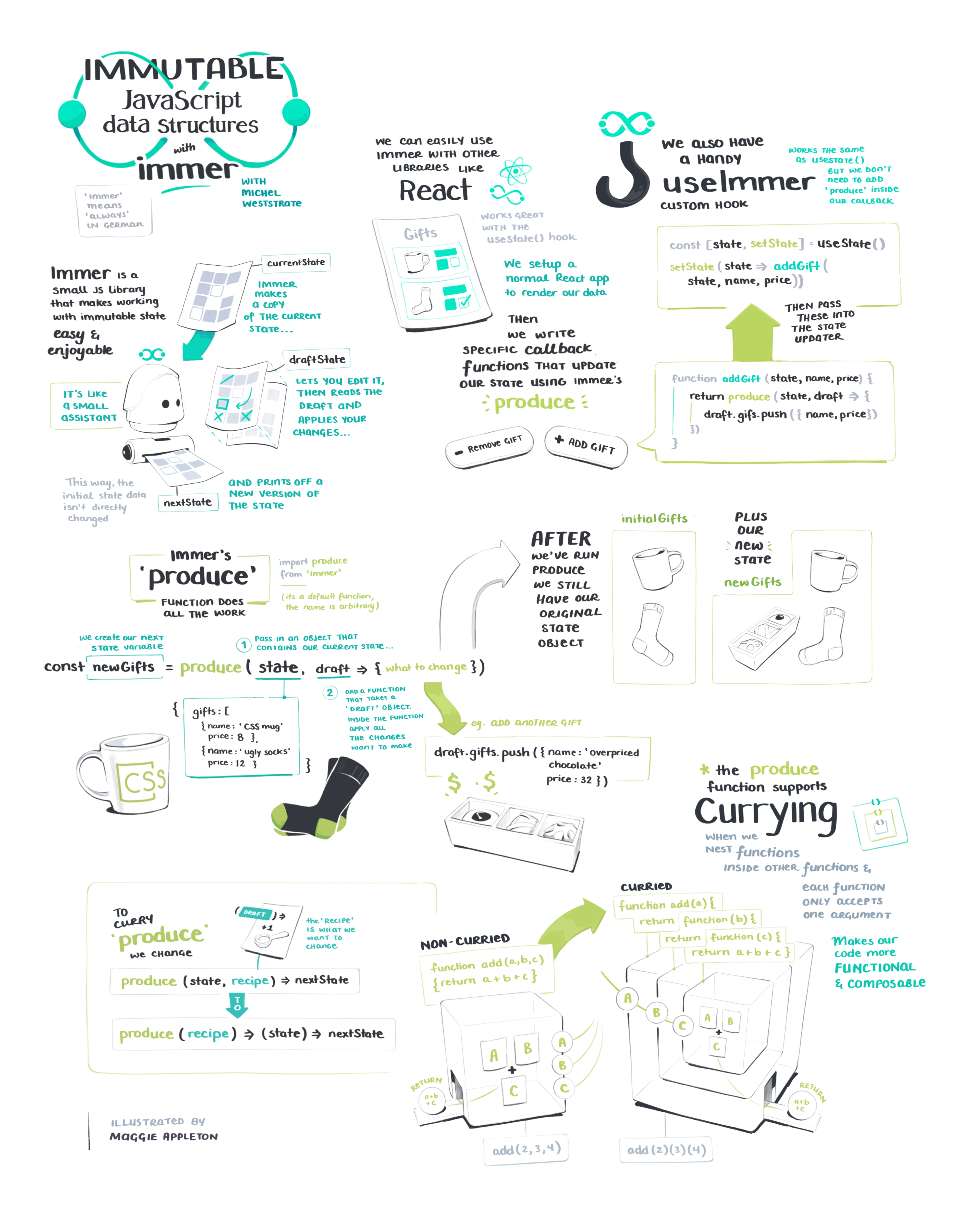
- state management
- types
- testing & debugging
- React Router > routing and navigation