openclaw-origami
Yeah, setting up OpenClaw with a local, offline LLM like via Ollama is totally doable---especially on your Origami Nvidia setup with that RTX fifty and sixty-four gigs RAM. OpenClaw's this wild open-source AI agent (that red lobster dude) that runs on your machine, connects to chat apps like Telegram or WhatsApp, and actually does stuff: clears email, manages calendar, browses, runs commands, even builds its own skills. It's proactive, has memory, and stays private since everything's local.
It supports local models out of the box now (early twenty twenty-six updates added easy Ollama auto-discovery), so no cloud API bills. Your four-gig VRAM handles smaller-to-mid quantized models great---like Llama three point two eight B or Phi four---for fast inference, while bigger ones offload to RAM/CPU.
Quick steps (assuming you're on Linux/Origami; Ollama's already easy there):
- Install Ollama if not already: curl -fsSL https://ollama.com/install.sh | sh Then pull a solid model: ollama pull llama3.2:3b (quick test) or llama3.1:8b for better tool use.
- Start Ollama server: ollama serve & (or systemd if you want it persistent).
- Install OpenClaw (one-liner works on Linux): curl -fsSL https://openclaw.ai/install.sh | bash Or npm: npm install -g openclaw@latest
- Run the onboarding wizard: openclaw onboard --install-daemon During setup, when it asks for model provider, pick local/Ollama (it auto-detects if running on localhost:11434). No API key needed---just point to your model name. Choose a chat channel like Telegram (it guides you through bot setup).
- Test it: Message your bot on Telegram/WhatsApp with something like "Hey, summarize my last email" or "Check my calendar." Watch it think, use tools, and respond---all offline.
Performance tip: With your Nvidia, use quantized GGUF models (Ollama handles that). Run nvidia-smi while querying to see GPU kick in---expect solid utilization like this.
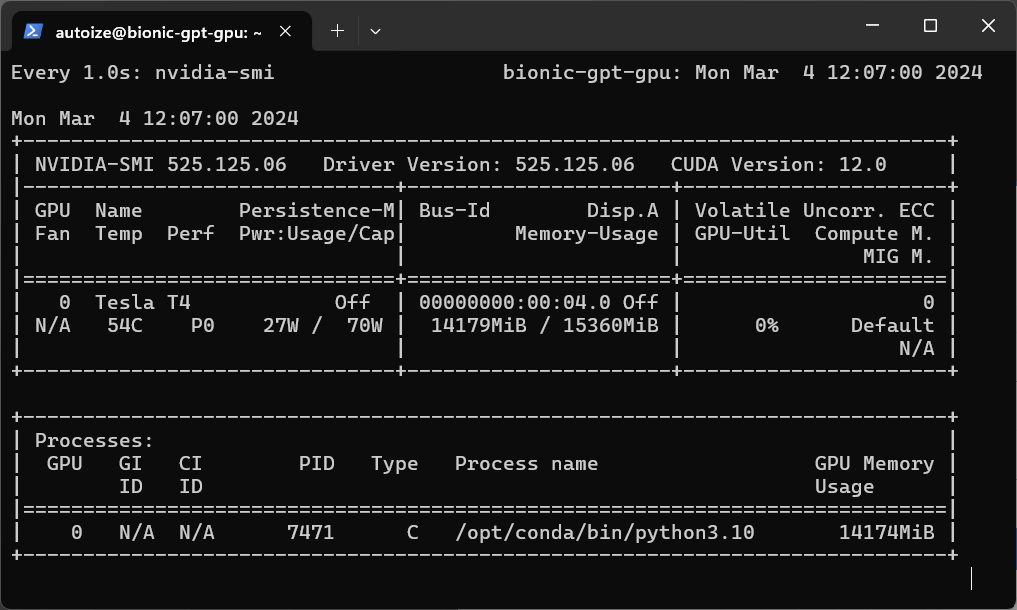
GPU Inference with Ollama or TGI on Google Cloud - Autoize
Here's a clean setup guide visual with terminal commands and Ollama integration---super straightforward.
OpenClaw + Ollama Setup Guide: Run Local AI Agents 2026
And an example of chatting with it on Telegram---your agent in action, powered by local LLM.
OpenClaw (formerly Clawdbot): a local AI agent that's powerful ...
Security note: It gets full system access by default (to do real tasks), so start with sandboxed mode or approve tools carefully. Check openclaw doctor for issues. If it glitches on model detection, manually edit ~/.openclaw/config.json to set provider to Ollama endpoint.