openclaw-popos
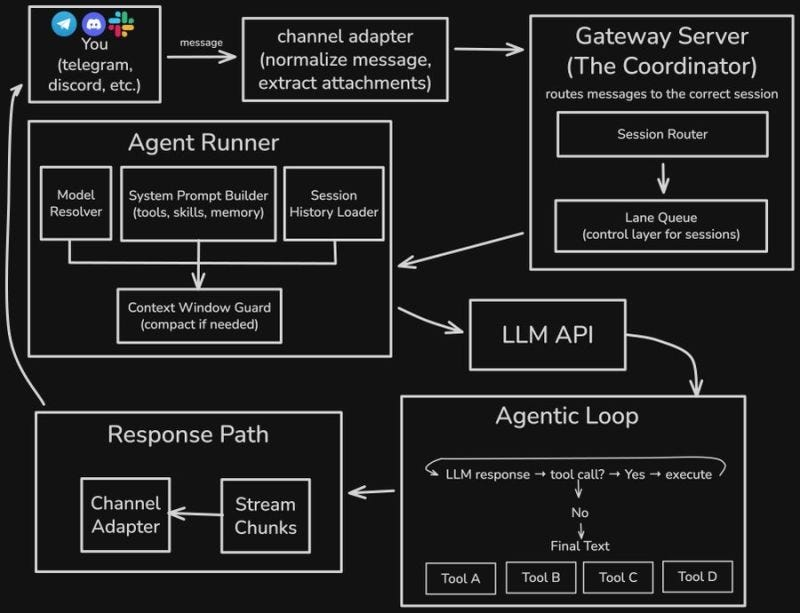
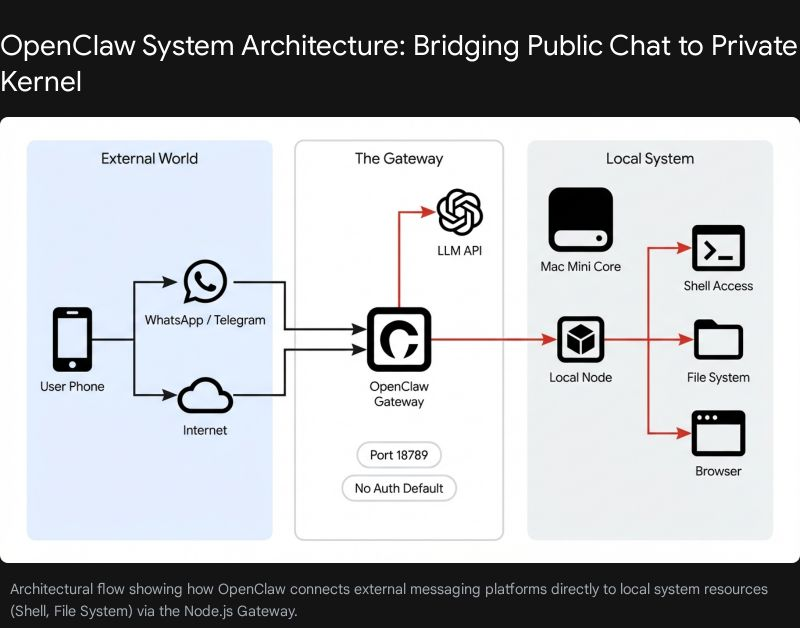
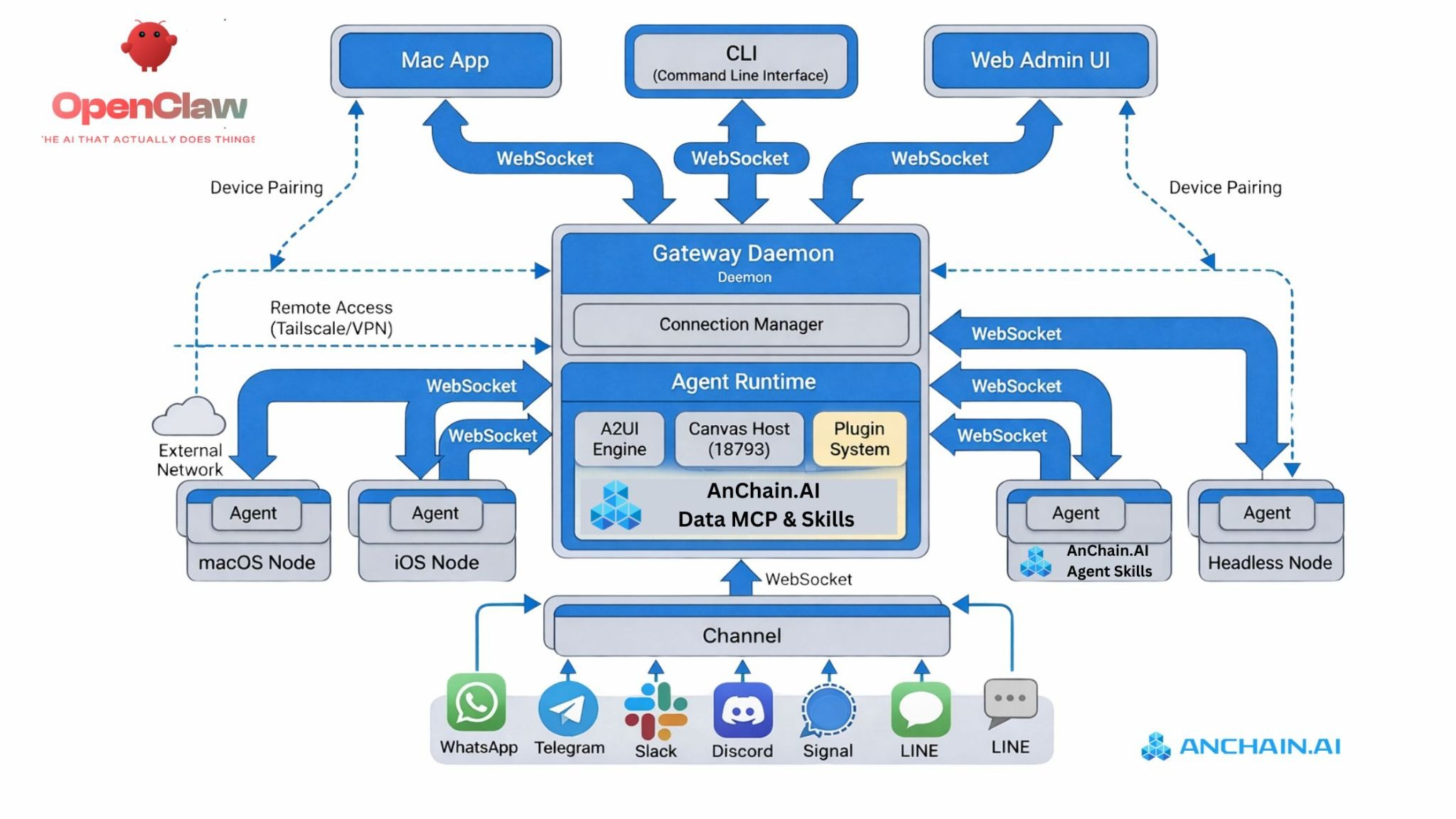
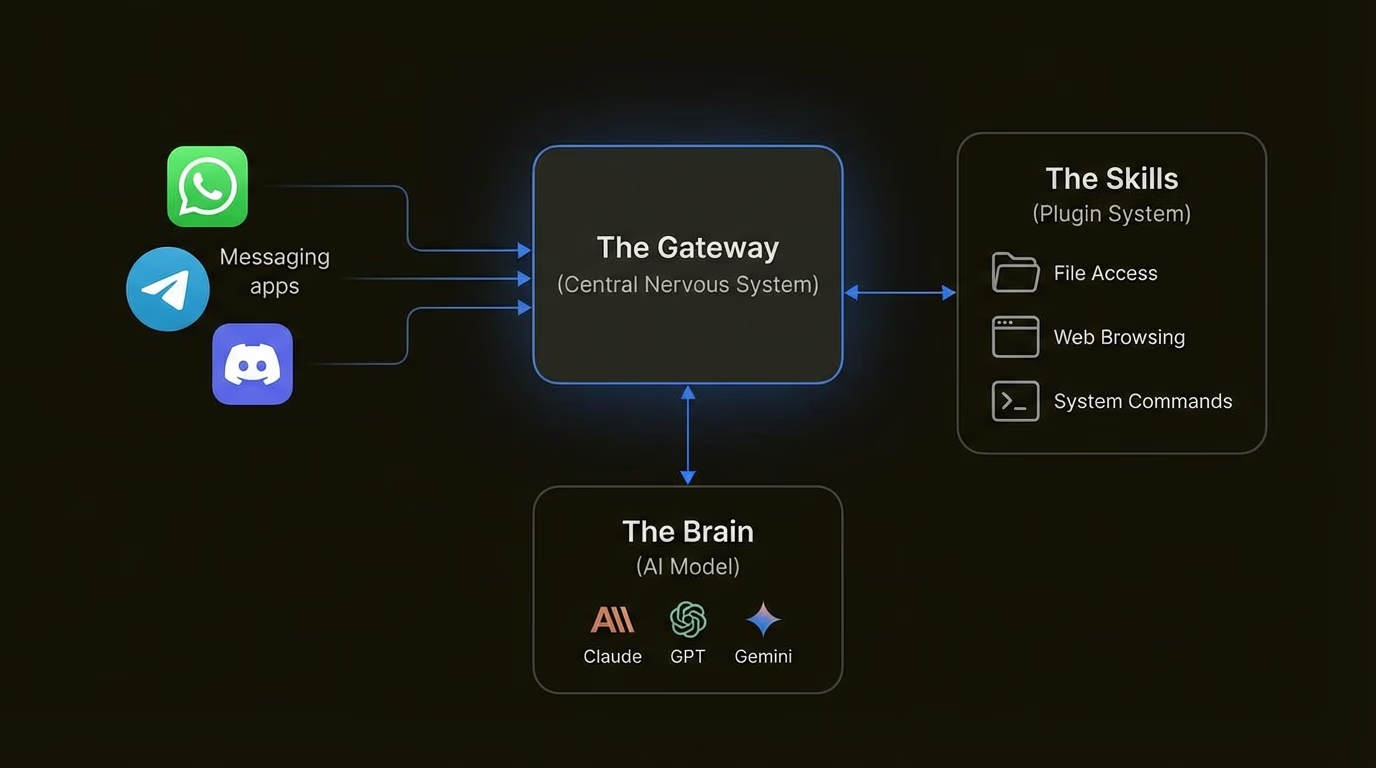
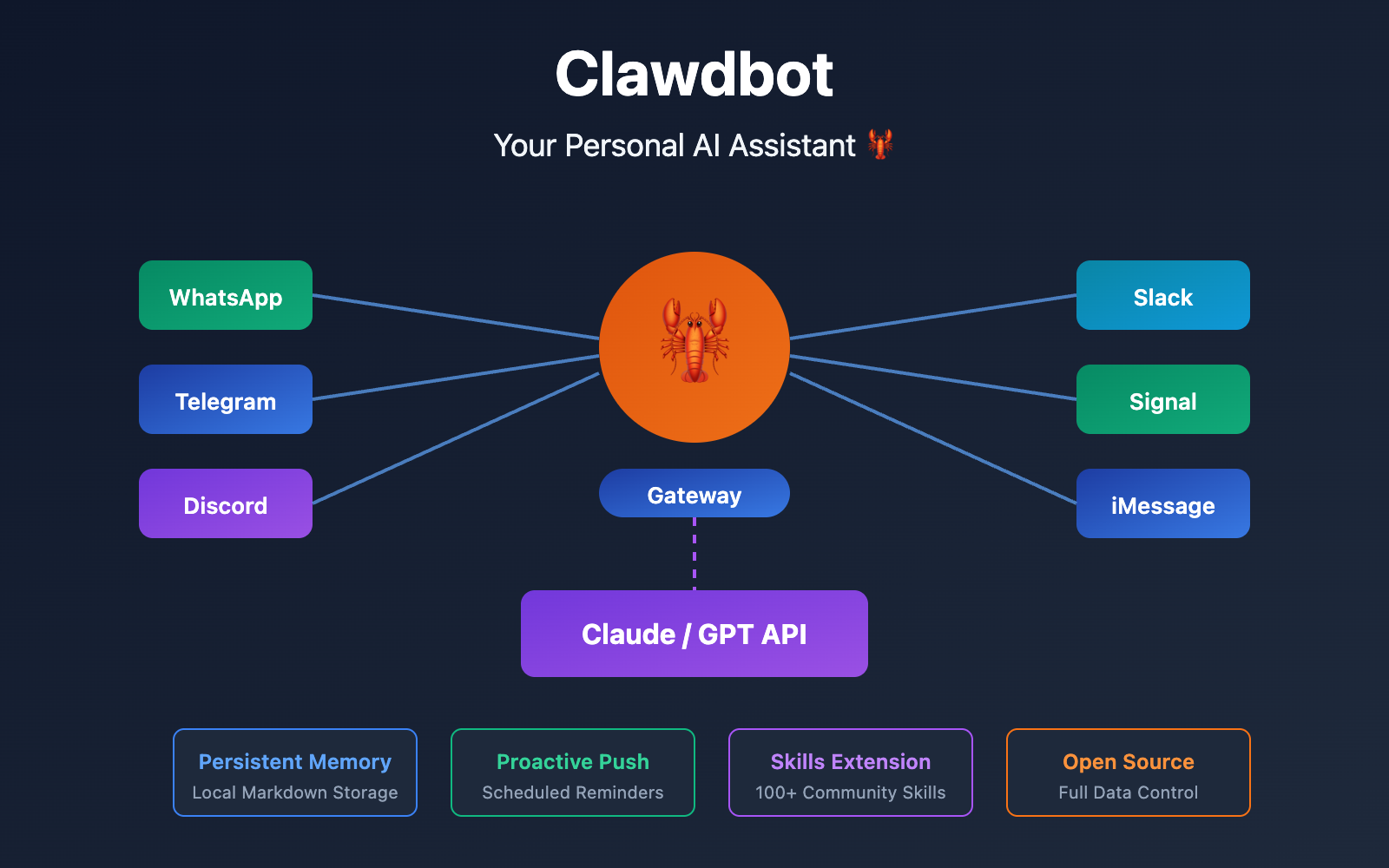
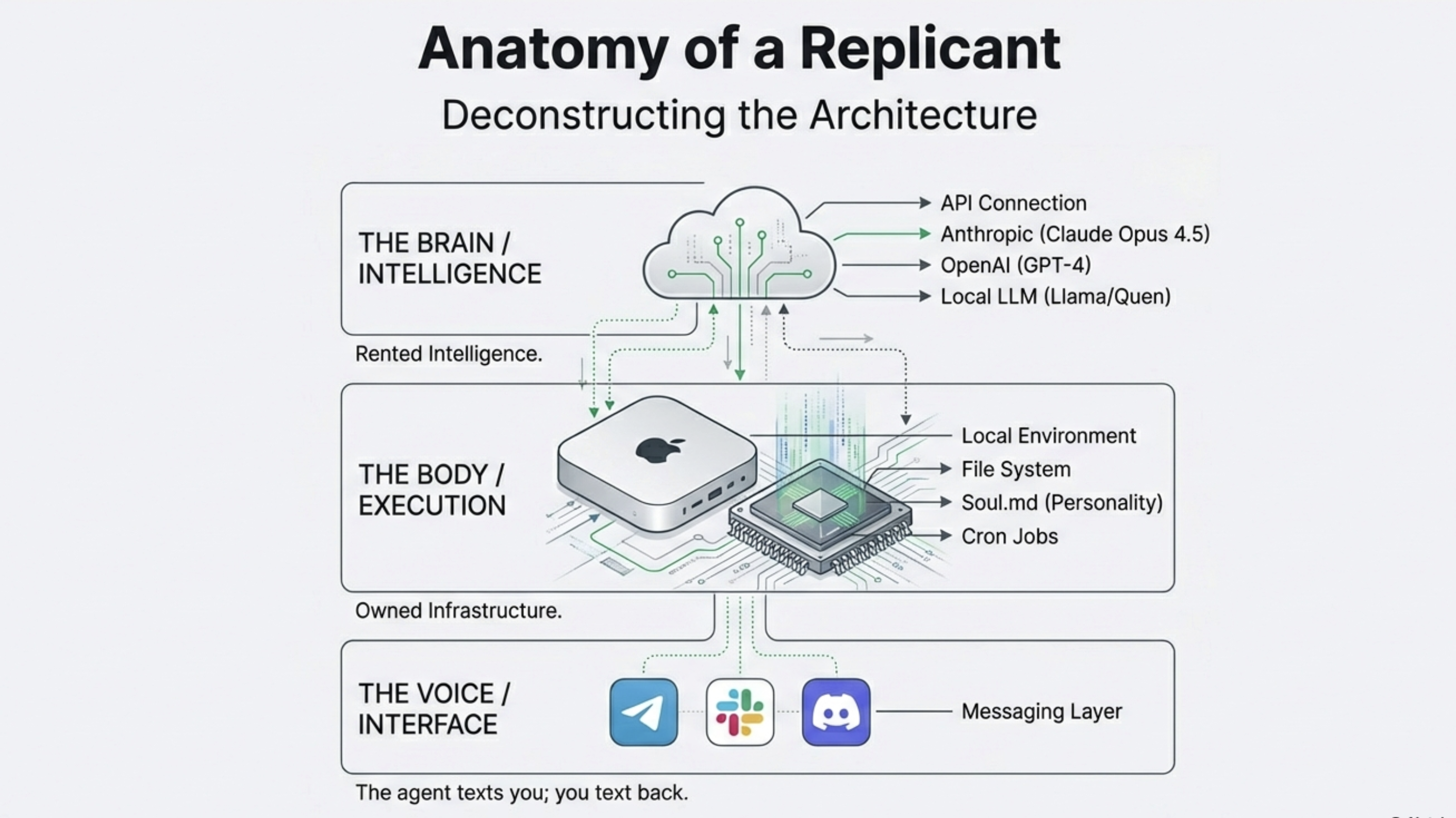
sandboxed
Here's the full list of everything we need to install/verify on your fresh Pop!_OS setup to run OpenClaw sandboxed (via Podman rootless for least privilege), with Ollama as the local LLM, and GPU acceleration if you've got an NVIDIA card. We'll prioritize security, speed, and GPU where possible.
Quick Order & Why (step-by-step, one at a time later)
-
NVIDIA Drivers --- First, because everything GPU-dependent builds on this. Pop!_OS makes it dead simple; if you installed the NVIDIA ISO, it's probably already there (check with nvidia-smi). This gives CUDA basics automatically.
Here's a classic terminal shot of the driver install prompt (yes to compat libs usually):
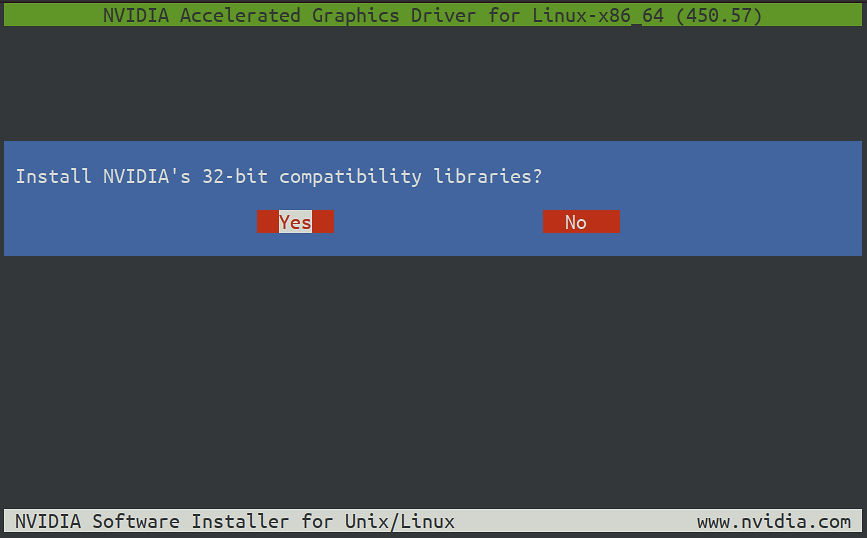
Upgrading NVIDIA Drivers in Pop OS 20.04 | by Nitin Reddy | Medium
-
Verify/Check CUDA --- Pop!_OS bundles basic CUDA runtime with the driver (no full toolkit needed for Ollama). Run nvidia-smi to see CUDA version (aim for 12+). Ollama needs driver 531+ and compute capability 5.0+ (most modern cards like RTX 20/30/40/50 series are fine).
-
Podman (our container engine) --- Install this next for rootless sandboxes. It's daemonless and safer than Docker---no root daemon running all the time. We'll use it to containerize OpenClaw.
Quick visual comparison---Podman on left (rootless, no daemon), Docker on right (daemonful):
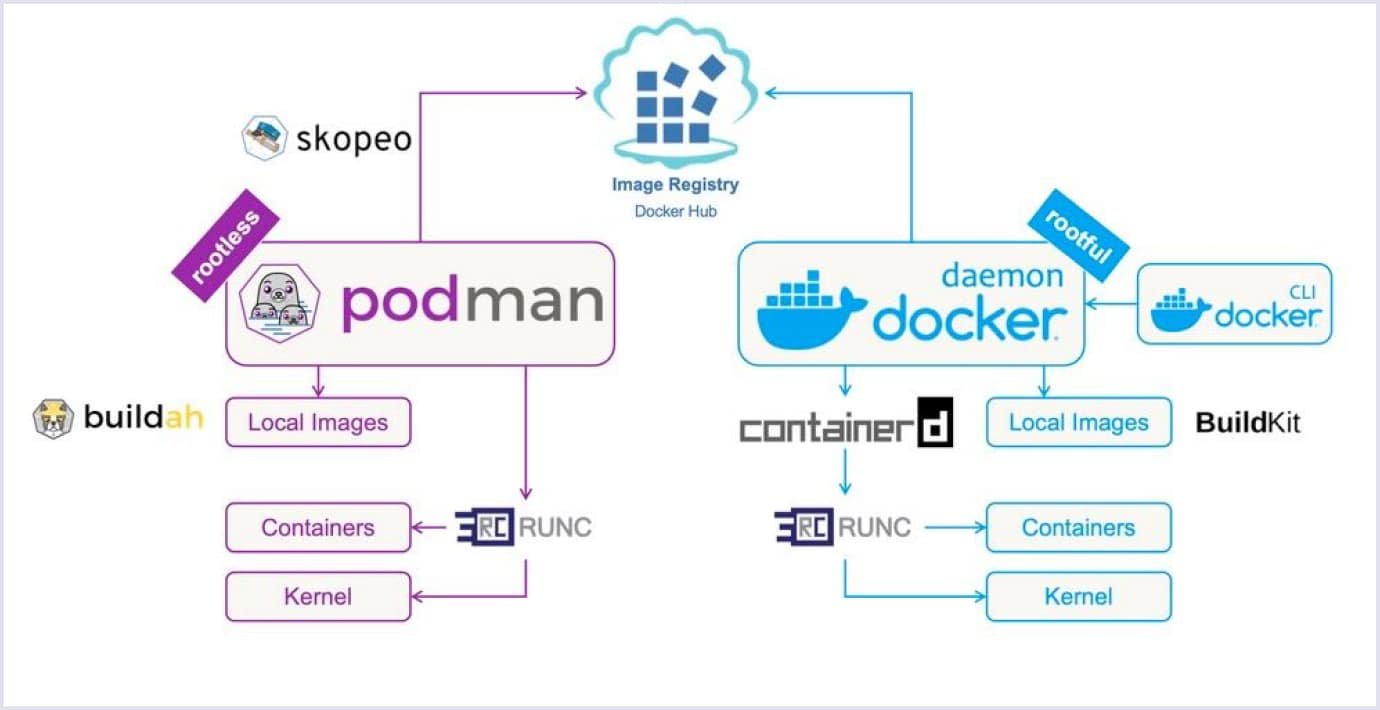
Podman vs. Docker Difference - Which One to Choose? | Codica
And another architecture side-by-side:
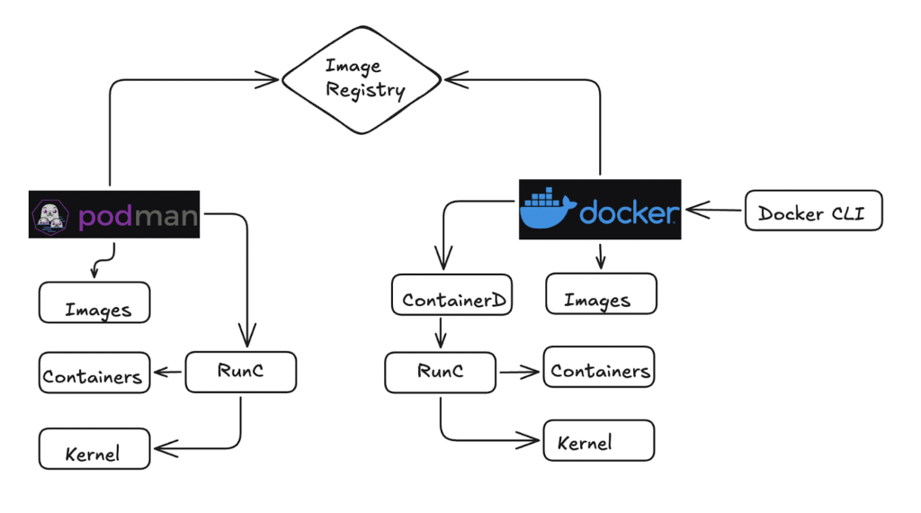
Docker vs Podman: A comprehensive comparison | TO THE NEW Blog
-
Ollama --- Install after GPU is confirmed. The one-liner script works great, and it'll auto-detect your NVIDIA GPU if drivers are solid. Pull a tool-calling model like qwen2.5-coder.
Example of Ollama happily using GPU (layers loaded to VRAM, usage spiking):

Ollama ps says model is loaded 20%/80% CPU/GPU but acts the ...
And another showing GPU utilization graph during inference:

Ollama ps says model is loaded 20%/80% CPU/GPU but acts the ...
- OpenClaw --- Last, because it talks to Ollama via API (localhost:11434). We'll pull/run it in a Podman container, mount Ollama's port/socket if needed, use read-only volumes, drop caps, etc., for least privilege.
No extra OpenCL needed---it's not relevant here (that's for older AMD/Intel stuff; we're on NVIDIA CUDA). Skip anything else unless you hit issues (like Node.js if running outside container, but we won't).
Here's the quick path to get OpenClaw talking to Ollama on your machine:
First, install Ollama super easy---one command in terminal:
Bash
curl -fsSL https://ollama.com/install.sh | sh
Then start the Ollama server (it runs in background):
Bash
ollama serve
Pull a solid tool-capable model---something like Qwen or Llama that handles agents well:
Bash
ollama pull qwen2.5-coder:32b # or llama3.3, deepseek-r1:32b, etc.
For OpenClaw itself, install globally if you haven't:
Bash
npm install -g openclaw@latest
The magic shortcut for Ollama integration---run this to auto-configure and launch:
Bash
ollama launch openclaw
(Or ollama launch clawdbot---old alias still works.)
That sets OpenClaw to point at your local Ollama at http://127.0.0.1:11434, auto-discovers tool-capable models, sets costs to zero, and starts the gateway. If you want to tweak later, use:
Bash
openclaw config set models.providers.ollama.apiKey "ollama-local" # any string works
Or check your models:
Bash
openclaw models list
Here's a visual of Ollama installing on Linux (that curl script in action):
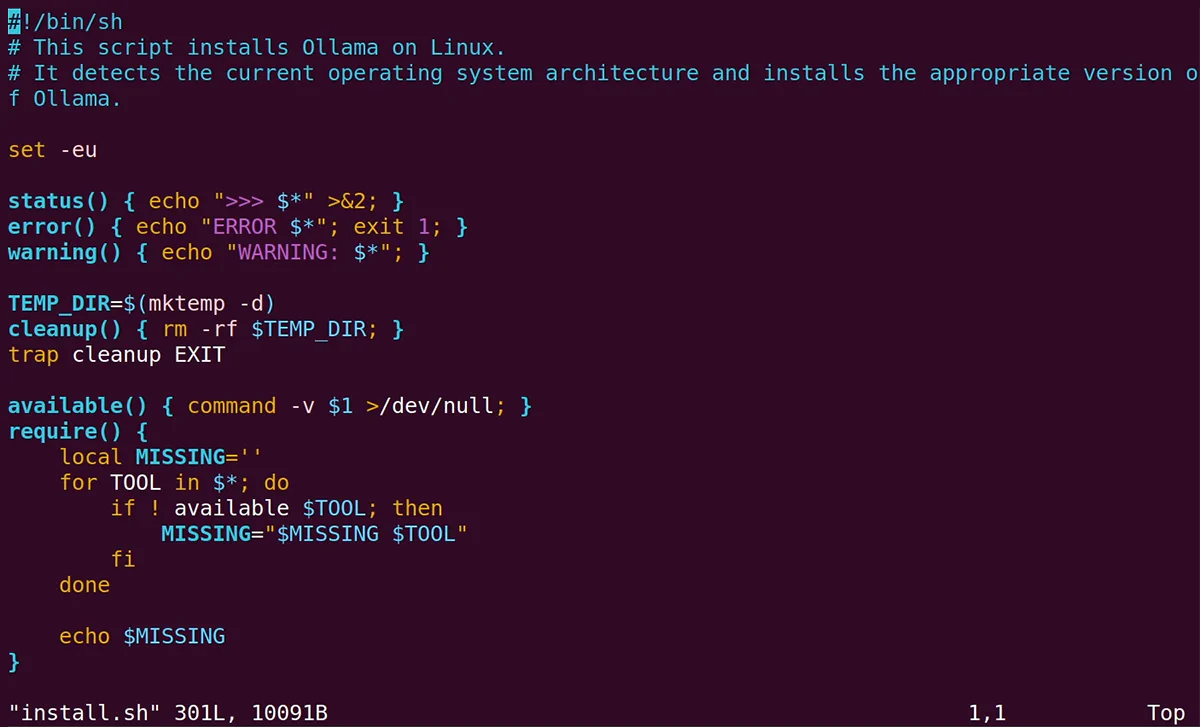
How to Run a Local LLM with Ubuntu
And a quick terminal shot of Ollama commands once running:
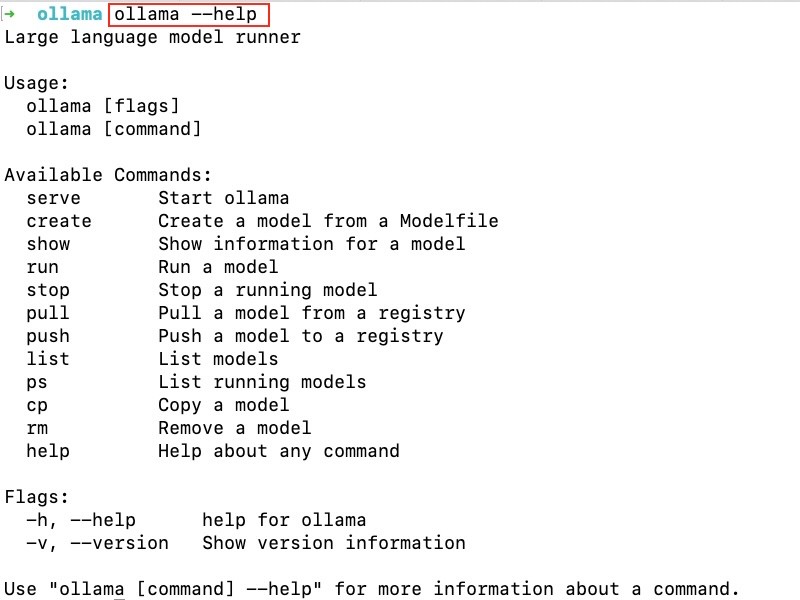
Ollama commands: How to use Ollama in the command line
Pick a beefy model if your GPU's good (Pop! OS NVIDIA drivers are solid), otherwise stick to smaller ones like 7b-14b. Test by messaging your OpenClaw bot on Telegram/WhatsApp---should respond using your local LLM. If tool calling feels off, grab a model known for it like qwen2.5-coder. You're good to go, lobster mode activated locally! 🦞