HTTP
https://github.com/1buran/rHttp
Status Codes

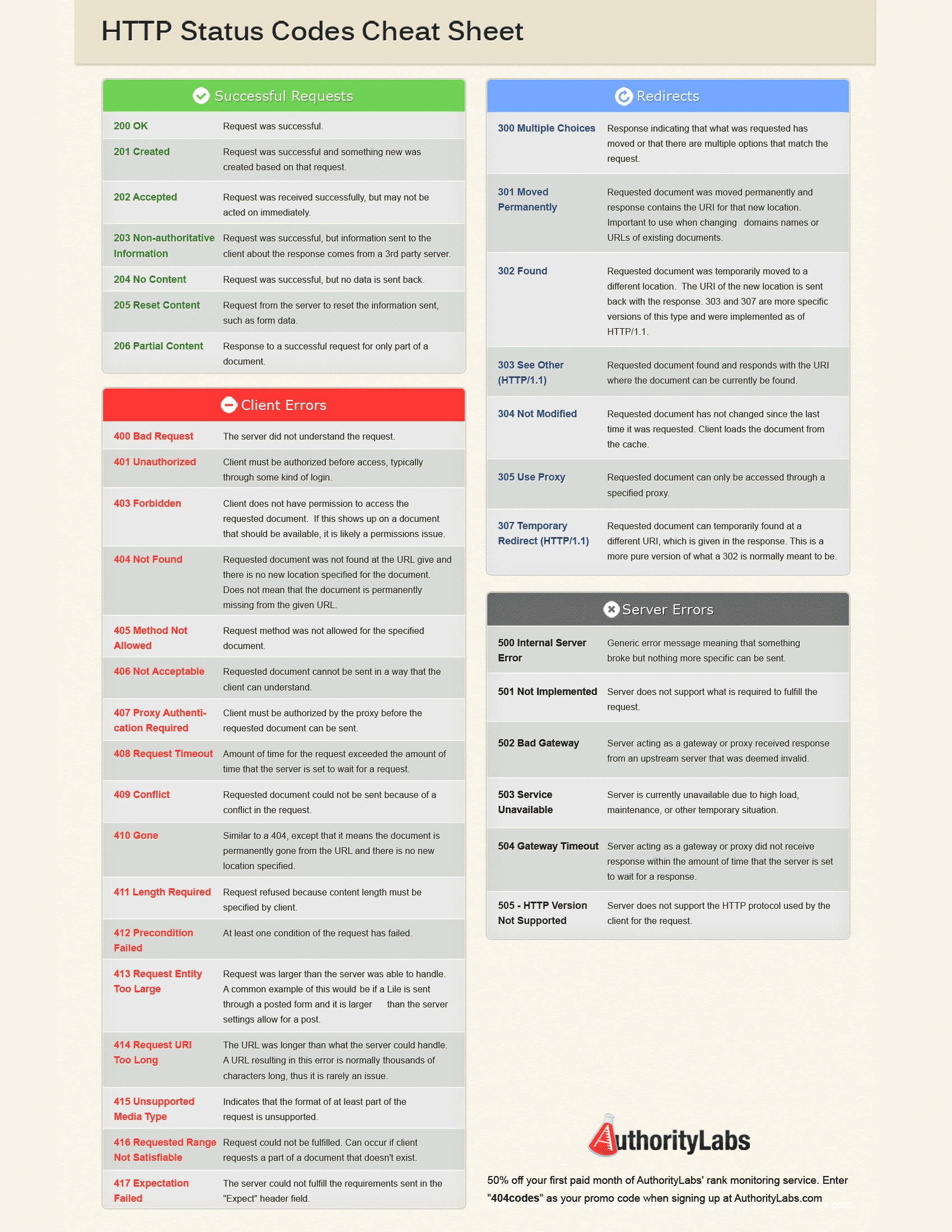
HTTP headers
HTTP headers let the client and the server pass additional information with an HTTP request or response. Headers can be broadly categorized into request headers, response headers, general headers, and entity headers. The Content-Type header is a type of entity header used to indicate the media type of the resource.
Common Header Types and Their Uses
Content-Type
Specifies the media type of the underlying data (e.g., text/html for HTML documents, application/json for JSON data, image/jpeg for JPEG images). It's crucial for the client to understand how to parse and process the body of the response. You would change the Content-Type based on the type of data you're sending back to the client.
Content-Length
Indicates the size of the entity-body, in bytes, sent to the recipient. It's used by both requests and responses. This header is important for stream processing and connection management.
Content-Encoding
Specifies any encodings that have been applied to the body of the request or response. This might include encodings like gzip or deflate for compression. You would use this if you're compressing your responses to reduce bandwidth usage.
Cache-Control
Specifies directives for caching mechanisms in both requests and responses. It controls who can cache the response, under what conditions, and for how long. You might modify cache-control headers to optimize your application's performance and reduce load on your servers.
Authorization
Contains credentials for authenticating the client to the server. It's used in requests to access protected resources. The type of authentication (e.g., Basic, Bearer) and the credentials would vary based on the security requirements.
Location
Used in HTTP responses to redirect the client to a different URL. It's commonly used with 3xx (redirection) and 201 (created) status codes.
Set-Cookie
Used in HTTP responses to send cookies from the server to the user agent. Cookies are often used for session management, personalization, and tracking.
Accept
Used in HTTP requests to tell the server what content types the client can handle. Based on this, the server can return the content in a compatible format.
User-Agent
Contains a string that allows the server to identify the client software making the request to the server. It can be used for content negotiation, analytics, or blocking certain clients.
When to Change Headers
- Content-Type: Change when you're sending a different type of data (e.g., switching from sending HTML content to JSON data). - Cache-Control: Adjust when you want to change how your responses are cached by browsers or intermediaries. - Content-Encoding: Use when you're applying compression to your responses. - Authorization: Modify when the method of authentication changes or when credentials need to be updated. - Set-Cookie: Update when you need to send new cookies to the client, such as after a user logs in. In your specific case, setting the Content-Type to text/plain indicates that the response body is plain text. If you were returning JSON data, you would change it to application/json. This helps the client understand how to correctly interpret the data it receives.