ANGULAR
Table of Contents
-
- Angular Universal Setup Steps
-
Templates
-
Metadata
-
Dependency Injection
What is Angular
A brief description of how to design large scale web applications with Angular.
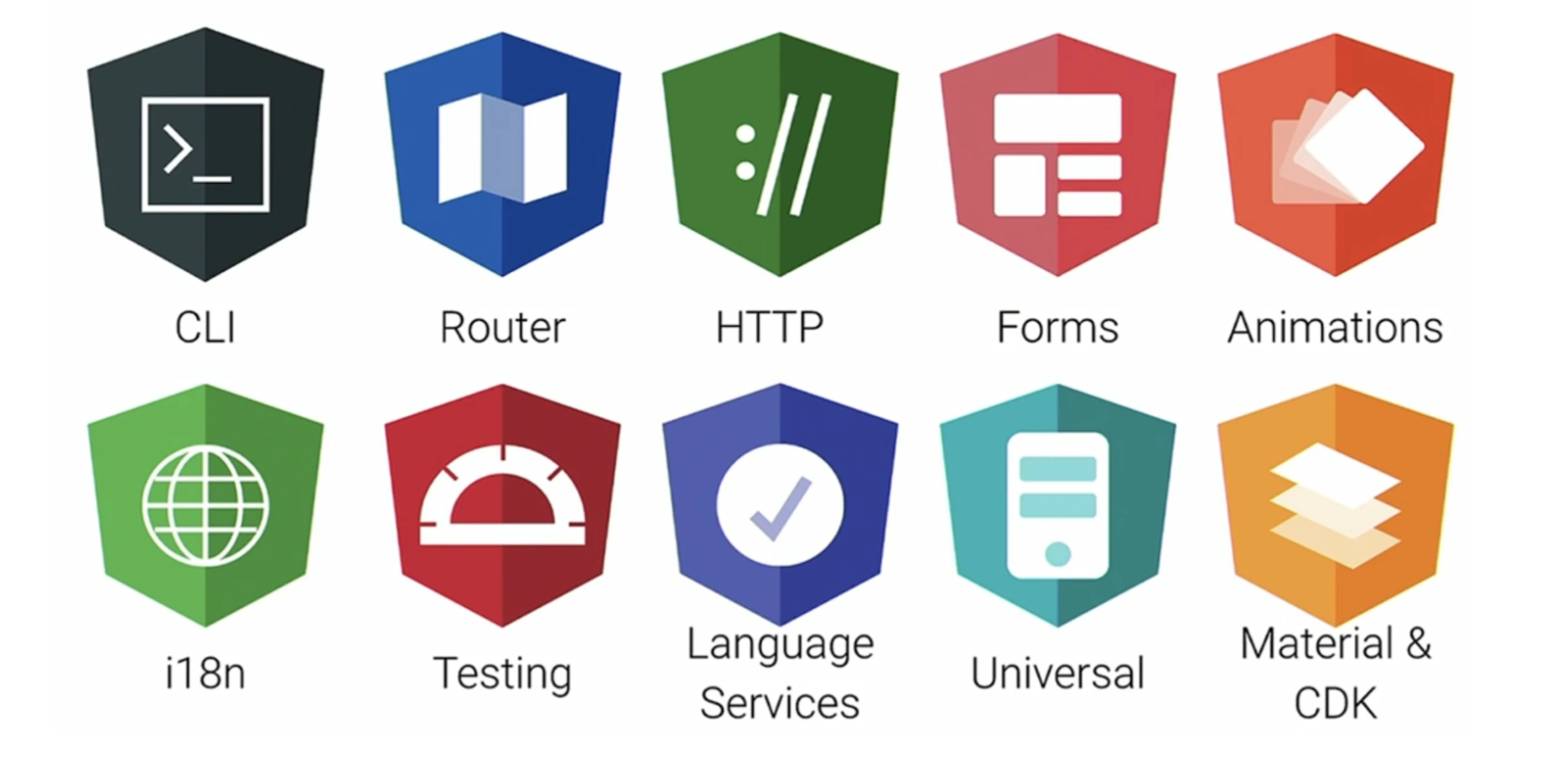
Application Architecture
Angular complements well with patterns, principles and practices of enterprise software development for complex needs. Applying methodologies and principles of object-oriented design (OOD), domain-driven design (DDD) and the Model View Controller (MVC) architecture, we dissect complex business requirements into logical boundary of constructs. Angular features the SOLID principles that any project should welcome in order to be maintainable and extensible. Applying patterns means high cohesion and low coupling. We separate business logic into layers with different responsibilities.
Frontend coupled to the MVC
The building blocks of Angular allows us to apply patterns of enterprise software development to the Frontend design system:
Angular encourages the Model View Controller (MVC) pattern and object-oriented design (OOD) by adopting TypeScript. Considering the conceptual layers of domain-driven design however, the question arises: How to apply these layers to Angular applications? This question relates to code organizational structure, communication across layers and demanding services through dependency injection. It seems that these layers must to be considered differently. For example, we might consider the domain layer consists of feature modules (Micro-Frontends)?
Layered Architecture
A typical domain-driven design architecture consists of the following conceptual layers:
Differentiating the service layer:
- Application services carry out full business use cases and are procedural as well as stateless.
- Domain services carry out use cases at a higher level of granularity than entities and value objects and are stateless.
- Infrastructure services help to separate technical and business concepts and provide cross-cutting concerns.
Applying the SOLID principles:
In object orientation the SOLID principles can help to make better design decisions in terms of high cohesion and low coupling. Applying the dependency inversion principle (DIP), we ensure these layers depend on abstraction (interfaces) as opposed to depending on concretion (classes). For example, we provide the domain layer as abstraction using (generic) interfaces.
Applying cross-cutting concerns:
The infrastructure layer includes cross-cutting concerns such as logging, caching or security. A naive approach to implement this functionality directly usually leads to duplicated or coupled code, which violates DRY (Don't Repeat Yourself) and SRP (Single Responsibility Principle). The aspect oriented programming (AOP) recommends that we abstract and encapsulate cross-cutting concerns by interlacing additional code, resulting in loose coupling between the actual logic and the infrastructure logic. For more information visit: https://jaxenter.com/cross-cutting-concerns-angular-2-typescript-128925.html
Applying layers to Angular:
Domain-driven design does not dictate an application architecture or tool set. It demands that the complexity of the domain model is kept isolated from the technical code and to separate concerns of the application. At best, the domain layer is self-contained to evolve. With regard to Angular, it is still arguable whether additional granularity distributed over several layers, and in particular communication across these layers, creates an unnecessary load on the Frontend. Web applications are no large scale enterprise systems. Moreover Angular Services typically are stateful. In a nutshell, we only apply principles of domain-driven design when necessary and focus on the service layer to separate technical from business concerns.
Application Artifacts Angular already provides artifacts, which makes it easy to apply principles of domain-driven design such as modules, services, repositories or controllers.
Project Structure [src] The directory structure does not follow the recommended application structure of angular CLI. It is designed for single-page applications (SPA) as well as multi page applications (MPA).
What is Bootstrapping in Angular? the root AppComponent that Angular creates and inserts into the "index.html" host web page.
History
- Angular 4 released 2017
- Angular 5 released Nov 1st 2017
Angular 2
The AngularJS team began working on Angular 2 in 2014. In September 2016, Google released Angular 2. They rewrote the framework entirely, matching the growing requirements of the modern web. And the difference between AngularJS 1.x and the new Angular was so radical that you couldn’t just update from one to the other. Adoption of the new technology required rewriting your applications completely. In March 2017, another major update, Angular 4, arrived. It made several significant improvements to version 2 but remained the same product at its core. Since that time Google has been regularly releasing updates. The current version, Angular 6 was rolled out in May 2018 and version 7’s debut is planned for October 2018. To avoid terminology confusion, we will simply be calling the new framework Angular, as some community members suggest, as opposed to the old AngularJS 1.x version.
- Angular was a major step ahead from AngularJS in terms of code reusability, performance, code organization, modularity, structure, evolved dependency management, etc. In short, Angular’s component-based architecture and cancellable asynchronous operation support, has changed underlying structure with a considerable learning curve to upgrade to
Links
Model / NgModel
validation Choices
ngNativeValidate
noValidate
create a model class, which will hold information about login operation.
ng g class talentForm --type=model
The login model class is a plain class with no behavior (methods) and contains only properties.
- anemic model that has only properties but not the behavior.
Use name attribute You can use ngModel will use name attribute to create key in ngForm object. In ngModel, input element is not set with any initial value.
One Way Binding You can use [ngModel] to create one-way binding. When ngModel is set as property binding, it will set initial value of input element with model object.
Two Way Binding You can use [(ngModel)] to create two-way data binding in between model object and input element. This option will set initial value of element and whenever element is updated, it will update model object also.
a11y
https://dev.to/bitovi/angular-a11y-eslint-rules-2fjc
to emit the button click event from Child Component. Import EventEmitter and Output from @angular/core
ChangeDetection can happen with the following scenario -
@Input value has changed A DOM event that the component is listening to was triggered An AsyncPipe received a new value Change detection has been explicitly triggered (detectChanges, markForCheck)
Initialization
ngOnInit() - to load data before the page gets rendered
ngAfterContentInit
Clean Up
ngOnDestroy() - disconnect from db
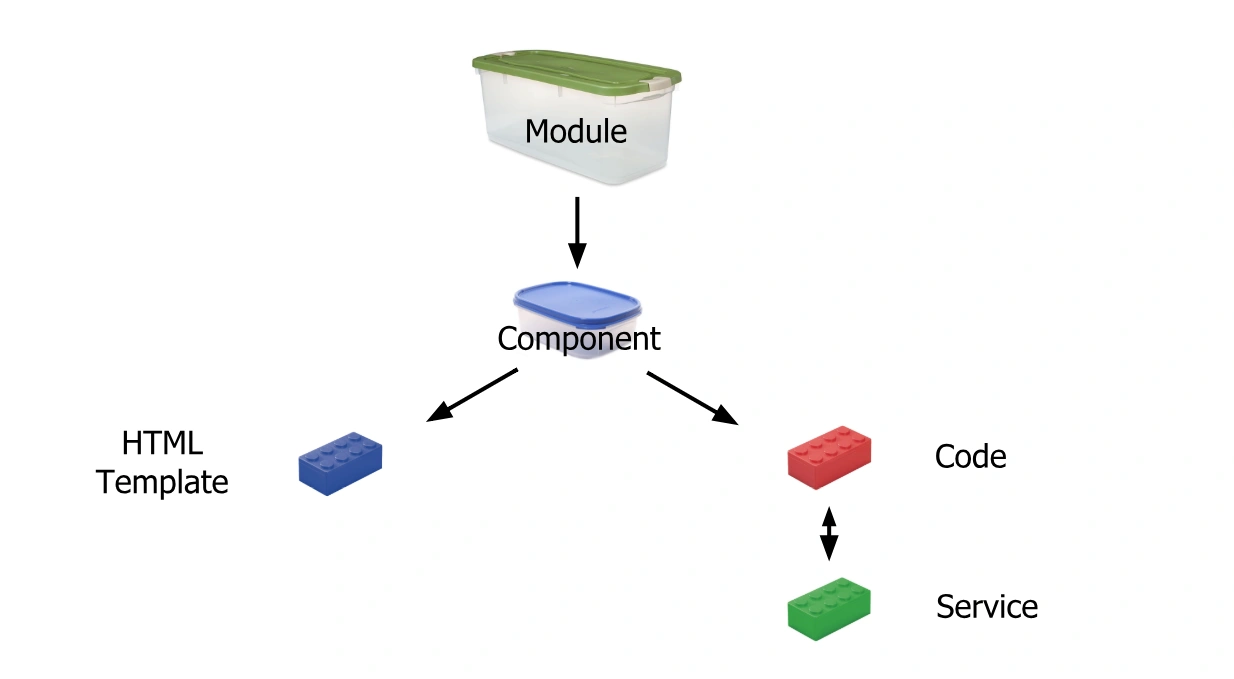
7 Main Building Blocks
- Component
- Templates
- Metadata
- Data Binding
- Directives
- Services
- Dependency Injection
Component VS Module
Components are responsible for the data that renders into the template.
Directive VS Component
when possible, prefer building angular components over attribute directives
- a component is a directive-with-a-template
- a directive adds behavior to a DOM element in a template
Model Pattern
The model construct of the MVC pattern is a representation of application data. The model contains code to create, read, update and delete (CRUD) data or store and transform model data. It stores the domain knowledge or business logic. Without the right model and the right business logic all the rest of the application layers are useless. There is necessarily no standard defined of how a model should look like. Various patterns exist to be used in different manner, thus do not use one pattern for everything!
Angular embraces two types of models:
View Model: This object represents data required by a specific view. It does not represent a real world object.Domain Model: This object represents data and logic related to the business domain. It represents a real world object.
The View Model and Domain Model may define different data schemes. Thus the Domain Model is kept view agnostic!
Differentiating the implementation patterns:
- Anemic Domain Model
- Rich Domain Model
- Transaction Script
- Active Record
The anemic domain model object is quite often used in CRUD-based web applications as data container, conform to the REST architectural style. However, it should be considered as an
anti-pattern as it does not contain business (functional) logic, except the get and set or some CRUD methods. Hence we prefer the rich domain model. The transaction script pattern is a good
candidate for application services.
Covering the offline-first paradigm we must ensure that business logic works entirely offline. Modern web applications should handle a dropped connection gracefully. By implementing a rich domain model on the client-side, we ensure that the domain logic is still executable, even without Internet connection. With a higher level of functional logic in rich domain models, we need to take the mapper pattern into account. Mapping server data to the domain model object and vice versa may be unnecessary if the model and server storage schema match.
Mapping JSON-encoded server data to the model is mandatory if:
- The domain model object defines any methods.
- The schema in the database is different from its representation in the application.
Data Mapper:
With the data mapper pattern we transfer data between two different schemes.
Let's look at an example of how to map the server response schema:
read(): Observable<Customers[]> {
    return this.http.get<Customers[]>("/api/customers")
        pipe(
            map((customers: Array<unknown>) => {
                const result: Array<Customers> = [];
                customers.forEach((customer) => {
                    result = [new Customer(customer.firstName, customer.lastName), ...result];
                });
                return result;
            }),
            catchError(()=>{})
        );
};
The data mapper logic can be placed in a variety of locations such as data access service (DAS) or in a repository.
REST, HATEOAS, HAL, Collection+JSON & Data Mapper:
When building multi-layered, distributed web applications, data transformation is among the major challenges that occur when data traverses all layers (data flows up and down the stack). More precisely, if the domain model resides on the client, we must transform the server response schema to an interconnected web of objects:
For example, HAL is a hypermedia type that offers hypermedia links in the response schema, so that we can make transitions through the application state only by navigating hypermedia. Hence, we need to map the resource model schema to the domain model schema. Therefore, it is important to choose a response schema that also integrates domain values, not just hypermedia links. We cannot map hypermedia links to a domain model. With multi-layered applications, it is clear that critical decisions must be made over the high-level design of the system, which comprises API Gateways, Microservices, Command-Query-Separation, URL design, data modelling, SQL queries etc. Most of them are determined by the problem domain requirements! Still the Collection+JSON hypermedia type seems to be a good solution to this situation. The Web API layer should comprise hypermedia as well as data.
CQS vs. CQRS:
With traditional CRUD-based web applications, conform to the REST architectural style, we comply with the CQS (Command-Query-Separation) pattern. Traditional REST-based APIs fulfill the need of command and query separation as methods within an entity, whereas, the CQRS (Command-Query-Responsibility-Separation) pattern defines commands and queries on different entities (read-write model). If the Web API Layer does not provide a CQRS-based interface, we must be prepared on the client-side to counteract these successfully by defining additional layers of abstraction. In conjunction with CQS and REST, additional layers should be applied:
The adapter (wrapper) allows us to adapt interfaces to entities that would otherwise be incompatible. After mapping the server response schema to the rich domain model, we can now create arbitrary view models out of the rich domain model.
State Management
With single-page applications (SPA), we get the flexibility and cross-platform functionality of a web application as well as the client-state management of native applications. In a single-page application most of the business logic is implemented in the client and the server is used as an API for authentication, validation or persistence. Typically, a SPA has more complex states than traditional server-side applications. There are an array of different states to deal with:
| Domain State | Addressable State (URL) | Draft State | Persisted State | View State | Global State |
|---|---|---|---|---|---|
| Domain Model | Sort/Filter/Search | E-Mail, Comments | Database, Local Storage | Scroll-position | Online/Offline |
Domain State
Build a domain model to manage the domain state of an application. The domain model object (entity) encapsulates methods, that need to operate on the data.
class Customer {
    private firstName: string;
    private lastName: string;

    get firstName(){}
    set firstName(){}
    get lastName(){}
    set lastName(){}

    isLogged(){}
}
Component Tree Design
If we are planning to develop an single-page application (SPA), it is essential to first think about the component tree hierarchy and its routes and conceptualize wireframes to the tree path. This way, we can easily approach an UX-driven Web API design. The top-down flow ensures that our GUI storyboard is compatible with the strict REST resources (sub-resources) representation in the component tree. By mapping a GUI storyboard to the components tree, we can identify full Business Use Cases and single System Use Cases.
overlay
https://github.com/lokesh-coder/toppy
URL Parameters
When using URL parameters in web applications, it is important to follow some conventions to ensure that the URLs are easy to read and understand, and that they are consistent across your application. Here are some conventions that are commonly used:
-
Use lowercase and hyphens: Use lowercase letters and hyphens to separate words in your parameter names. This makes the URL easier to read and understand. For example, instead of using
productId, useproduct-id. -
Use plural nouns: Use plural nouns for parameter names that represent collections of items. For example, use
usersinstead ofuserif you are passing a list of users. -
Use meaningful names: Use parameter names that are meaningful and descriptive. For example, use
categoryinstead ofcif you are passing a category name. -
Use query parameters for optional values: Use query parameters for values that are optional or may not always be present. For example, if you have a search page where the user can filter results by different criteria, use query parameters to represent the filtering options.
-
Be consistent: Use the same parameter names and formats across your application to make it easier for users to understand and remember the URL structure.
By following these conventions, you can make your URLs more user-friendly, easier to understand, and more consistent across your application.
Angular 10|9|8 Get URL or Set URL Parameters using Router and ActivatedRoute
In Angular web apps, you can use URL parameters to pass data between different components or pages of your application. URL parameters are values that are added to the end of a URL and are separated by slashes or question marks.
To define a parameter in a URL, you can use the colon notation in the route configuration of your Angular app. For example, if you want to define a parameter called id in the URL, you can do it as follows:
const routes: Routes = [
  { path: 'product/:id', component: ProductComponent }
];
In this example, the :id is the parameter that will be used to pass the product ID to the ProductComponent.
To access the parameter value in your component, you can use the ActivatedRoute service provided by Angular. The ActivatedRoute service gives you access to the current route information, including any parameters that are defined in the route.
Here's an example of how to access the id parameter:
import { Component, OnInit } from '@angular/core';
import { ActivatedRoute } from '@angular/router';

@Component({
  selector: 'app-product',
  templateUrl: './product.component.html',
  styleUrls: ['./product.component.css']
})
export class ProductComponent implements OnInit {

  productId: string;

  constructor(private route: ActivatedRoute) { }

  ngOnInit() {
    this.route.params.subscribe(params => {
      this.productId = params['id'];
    });
  }

}
In this example, the ActivatedRoute service is injected into the constructor of the ProductComponent. The parameter value is accessed in the ngOnInit method by subscribing to the params observable. The params observable emits a new value whenever the route parameters change, so this method will be called every time the id parameter is updated.
Once you have access to the parameter value in your component, you can use it to fetch data from a backend API or to update the state of your component.
- https://www.freakyjolly.com/angular-access-parameters-in-url-using-activatedroute/
- https://iqcode.com/code/typescript/angular-set-url-parameters
- https://angularfixing.com/get-any-url-parameter-in-angular/
- https://www.telerik.com/blogs/angular-basics-using-query-params-angular-routing
Table of Contents ⬆️ Animations
- https://indepth.dev/posts/1285/in-depth-guide-into-animations-in-angular
- https://stackoverflow.com/questions/16994662/count-animation-from-number-a-to-b
- https://netbasal.com/creating-reusable-animations-in-angular-6a2350d6191a
- https://dzone.com/articles/understanding-angular-6-animations
UI Library
| Category | Recommended Components | Details |
|---|---|---|
| Component Lib | NG ALAIN | Admin Template work with ng-zorro-antd |
| Component Lib | Material Design | Material Design |
| (archived) Component Lib | Clarity | Vmware Angular Component Lib |
| Component Lib | Nebular | Nebular Angular Component Lib |
| Component Lib | Bootstrap | Bootstrap Angular Component Lib |
| Component Lib | DevUI | Huawei Angular Component Lib |
| Component Lib | ng-zorro-mobile | Ant Design Mobile of Angular |
| Component Lib | Jigsaw | ZTE Angular Component Lib |
| Component Lib | ag-Grid | Angular Grid Component |
| Component Lib | ngx-datatable | Swimlane Grid Component |
| Component Lib | ngx-charts | Charts based on D3 |
| Component Lib | ngx-graph | Graph based on dagre.js |
| Component Lib | ngx-formly | Form based on JSON schema |
| Component Lib | ng-ant-admin | The Admin Template imitating Ant Design Pro |
| Dev Kit | Component Dev Kit | Component Developer Kit |
| Dev Kit | Spectator | A Powerful Tool to Simplify Your Angular Tests |
| Dev Kit | Scully | The Static Site Generator for Angular apps |
| Dev Kit | Angular CLI | Angular CLI |
| Dev Kit | Angular Builders | Angular build facade extensions |
| Dev Kit | ngx-planet | Micro Frontend library for Angular |
| Dev Kit | Angular Universal | Server Render |
| State Management | Akita | Akita state management |
| State Management | ngxs | NGXS state management |
| State Management | ngrx | NGRX state management |
Repos
- https://github.com/gothinkster/angular-realworld-example-app
- https://github.com/andriy101/primeng-schematics
- https://github.com/NilavPatel/Ng-Prime
- https://github.com/Angular-RU/angular-universal-starter
- https://github.com/mdbootstrap/mdb-angular-ui-kit
- https://github.com/jeroenouw/AngularMaterialFirebase
- https://github.com/fabric8-ui/fabric8-ui
- https://github.com/meiblorn/ngx-fullpage
- https://github.com/Cynthesize/cynthesize-frontend
- https://github.com/AmitXShukla/Online-School-Management-App-Angular-Firebase
- https://github.com/AmitXShukla/Mobile-Picture-GPS-Tracking-Attendance-APP
- https://github.com/dyeroshenko/SPA-Angular-CLI
- https://trello.com/b/doWWkpg7/can-you-flow-scrum
- https://github.com/mariamshahin/mean-cms-angular
Tutorials
- https://angular-templates.io/tutorials
- https://medium.com/madhash/19-things-you-need-to-learn-to-become-an-effective-angular-developer-c0ccfa51222a
- https://2muchcoffee.com/blog/top-43-angular-blogs-websites-influencers/
- https://angular.io/
- https://remotestack.io/angular-seo-tutorial-add-seo-page-title-meta-tags-and-canonical-url/
- https://www.positronx.io/angular-seo-set-dynamic-page-title-meta-tags-in-universal-app/
- https://www.reddit.com/r/Angular2/
- https://blog.angular.io/
- https://ultimatecourses.com/blog/category/angular/
- https://appdividend.com/2019/12/10/angular-checkbox-example-tutorial/
- https://angularconsole.com/
- https://long2know.com/2017/04/angular-filter-checkboxes/
- https://www.tektutorialshub.com/angular/angular-http-get-example-using-httpclient/#http-get-in-action
- https://blog.angularindepth.com/
- https://snipcart.com/blog/angular-seo-universal-server-side-rendering
- https://angularquestions.com/2021/02/11/angular8-checkbox-boolean-filter/
- https://github.com/avatsaev/angular-learning-resources
- https://netbasal.com/creating-searchable-templates-in-angular-20ba70ce4e21
- https://www.reddit.com/r/Angular2/comments/b7nrh3/dead_simple_keyboard_shortcut_management_library/
- https://dev.to/this-is-angular/emulating-tree-shakable-components-using-single-component-angular-modules-13do
- https://github.com/enten/angular-universal
- https://indepth.dev/posts/1052/exploring-angular-dom-manipulation-techniques-using-viewcontainerref
- https://github.com/brillout/awesome-angular-components
- https://github.com/gothinkster/realworld
- https://blog.angularindepth.com/https-medium-com-thomasburleson-animated-ghosts-bfc045a51fba
- https://www.djamware.com/post/5be52ce280aca72b942e31bc/ionic-4-angular-7-and-cordova-tutorial-build-crud-mobile-apps
- https://is-angular-ivy-ready.firebaseapp.com/#/status
- https://www.freecodecamp.org/news/want-to-learn-angular-heres-our-free-33-part-course-by-dan-wahlin-fc2ff27ab451/
- https://netbasal.com/make-your-angular-forms-error-messages-magically-appear-1e32350b7fa5
- https://angular-training-guide.rangle.io/modules/module-scam-pattern
- https://medium.com/@WalmartLabs/new-engineering-blog-995c3ce5d396
- https://nrwl.io/nx
- https://www.builder.io/m/pricing
- https://christianlydemann.com/complete-guide-to-angular-testing/
- https://medium.com/the-startup-lab-blog/the-history-of-angular-3e36f7e828c7
- https://netbasal.com/the-need-for-speed-lazy-load-non-routable-modules-in-angular-30c8f1c33093
- https://www.angularminds.com/blog.html
- https://ng-bootstrap.github.io/#/home
- http://startangular.com/
- https://angularscript.com/
- https://www.smashingmagazine.com/2020/05/angular-templates-pug/
- https://www.freecodecamp.org/news/angular-ngclass-example/
NG11 2021
View Encapsulation
Advantages of Turning Off View Encapsulation (ViewEncapsulation.None):
Simpler Styling for Third-Party Libraries: If you're using third-party UI libraries that rely on global styles, turning off encapsulation can make styling them easier. You can directly target their classes without needing complicated workarounds.
Simpler Global Styles: In specific cases, you might have global styles that need to apply throughout the application. Disabling encapsulation allows these styles to take effect without needing to be included in every component.