Service Worker
A Service Worker is a specialized JavaScript file that runs on a separate thread from the main browser thread, acting as a programmable network proxy between your web application and the network. It's a core technology behind Progressive Web Apps (PWAs) that enables:
- Offline functionality: Intercepts network requests and serves cached resources when offline
- Background sync: Defers actions until the user has stable connectivity
- Push notifications: Receives and processes push messages from a server even when the app is not active
- Performance optimization: Implements sophisticated caching strategies to improve load times
Service Workers operate independently from the web page, have no DOM access, and use an event-driven model. As of 2025, they're supported in all major browsers and have become a standard component of modern web development.
Service Workers vs. Web Workers
While both run on separate threads, they serve different purposes:
| Service Worker | Web Worker |
|---|---|
| Acts as a network proxy | Performs CPU-intensive computations |
| Persistent across page loads | Tied to a specific page |
| Can intercept network requests | Cannot access the network directly |
| Event-driven lifecycle | Simple start/stop lifecycle |
| Enables offline capabilities | Prevents UI blocking |
Service Workers are particularly valuable for their ability to cache resources and enable offline-first experiences, which has traditionally been a key advantage of native apps.
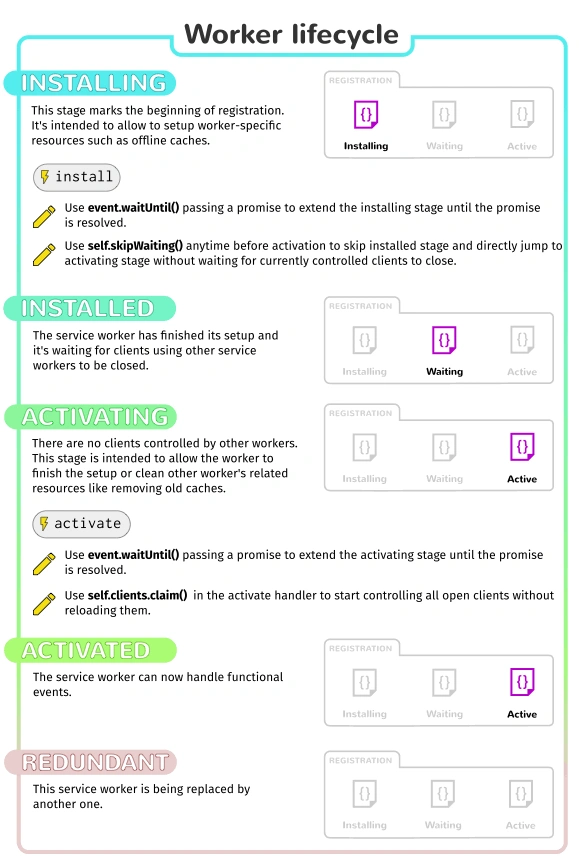
A Service Worker Lifecycle
A service worker goes through three steps to become fully functional:
- Registration
- Installation
- Activation
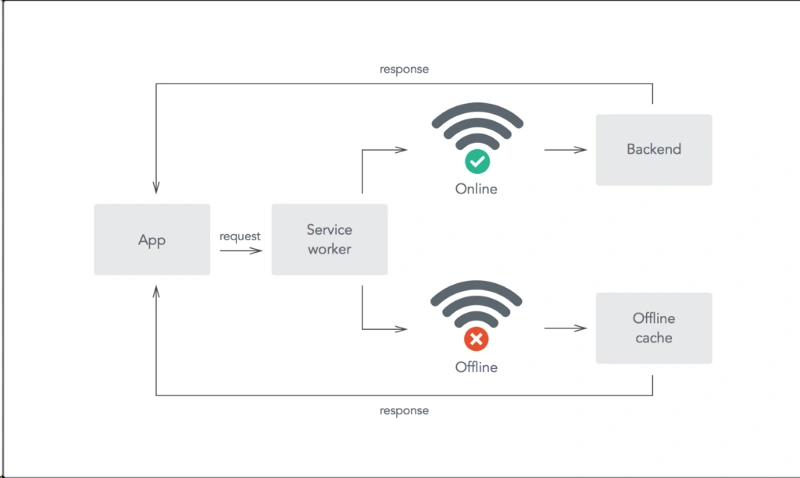
Offline / Service Worker
- introduced with HTML5 web workers
- Dedicated worker
- only work with one page
- Shared worker
- Service worker
- Dedicated worker
- split up functions to process separate from the 'UI or browser process/thread'
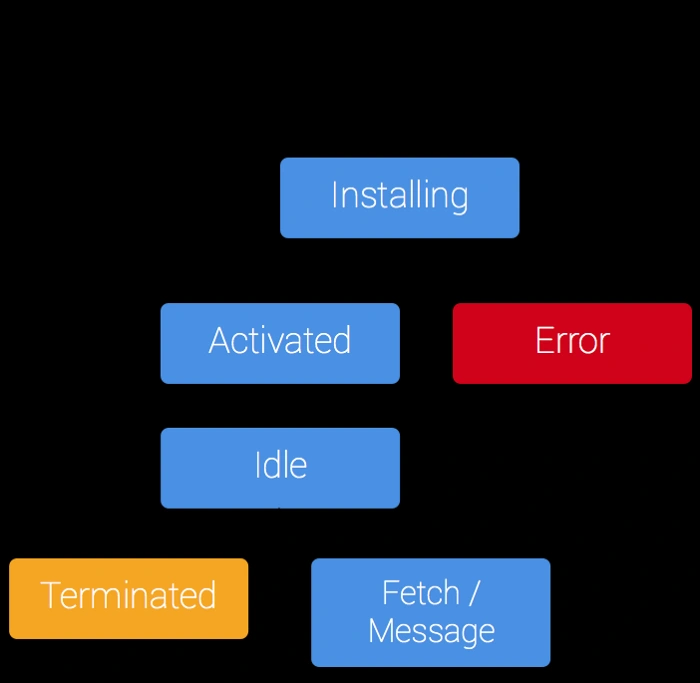
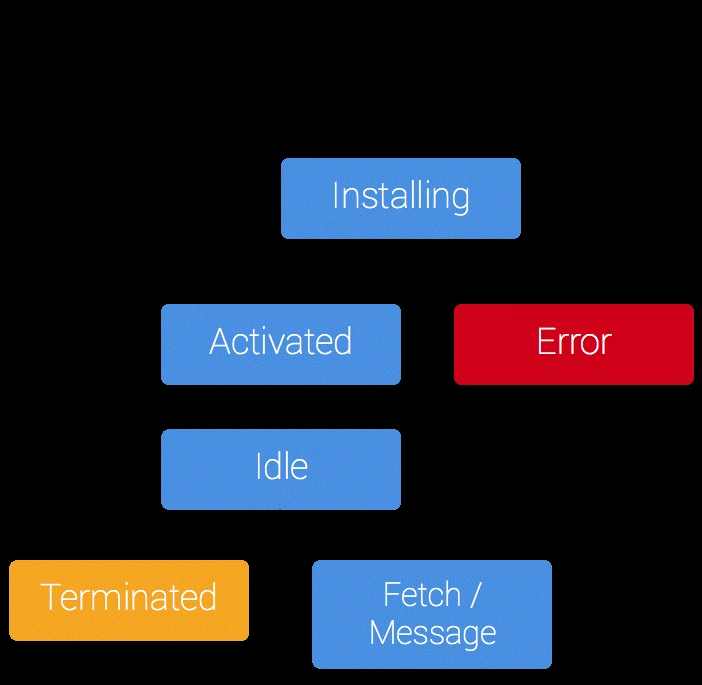
Lifecycle - Install >> Activate >> Idle >> Fetch / Message
Precache assets during installation
Assets that are reused throughout the application, like images, CSS, JavaScript files, can be installed the first time the app is opened.
This gives the base of what is called the App Shell architecture.
Install
self.addEventListener('install', function (event) {
 console.log('install:', event);
});
Activate
self.addEventListener('activate', function (event) {
 console.log('activate:', event);
});
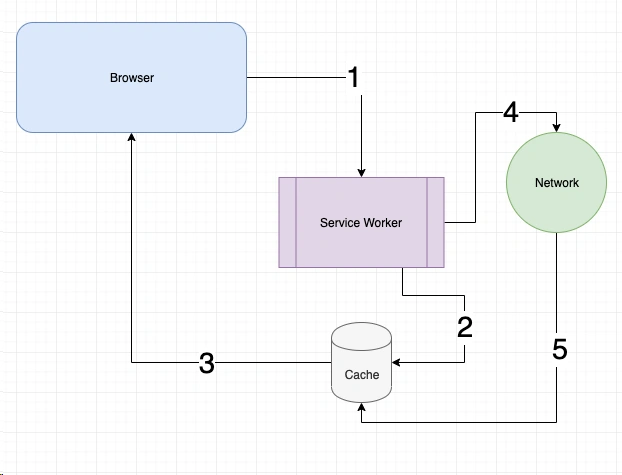
Service worker is the backbone of the PWA architecture and plays a crucial role in the manner in which the offline capability works. It is responsible for caching strategy decided for the application as it handles the requests sent and decides based on the terms on how to handle them. A service worker is created in multiple ways. Before we delve into the existing mechanisms, one has to understand that service workers act as a web proxy for the application in the case of it losing its internet connectivity.
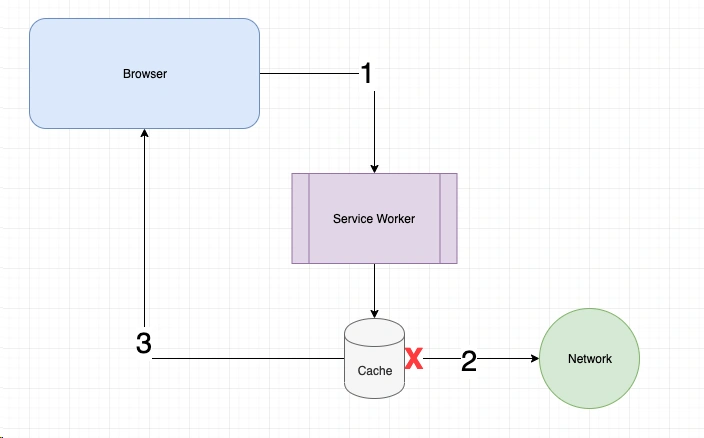
Some of the caching strategies followed using service workers include the following.
-
Cache Only: The simplest strategy followed is the cache only strategy where the request never reaches the network and is served by the service worker from the local cache directly.
-
Cache and Update: This is a slight variation on the cache only strategy. It not only serves assets and data from the local cache but also sends a request to the network to fetch any update present.
-
Cache, Update and Refresh: This strategy is similar to the previous one with the exception that the user is notified when an update from the network side is available.
-
Embedded Fallback: There are situations in which one needs to display something always, taking into account cases where the service worker fails altogether. The embedded code is setup in the service worker file.
-
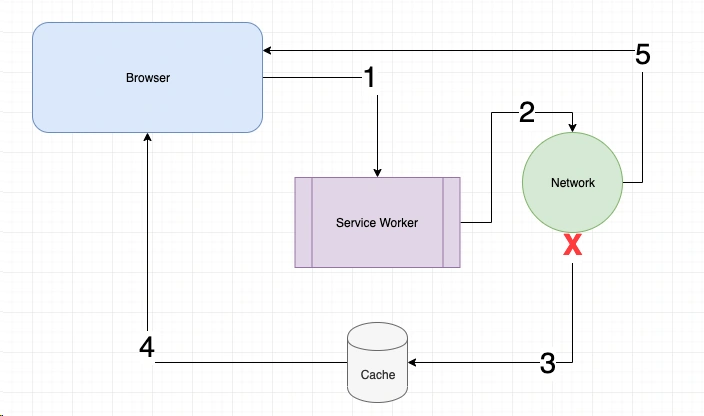
Network or Cache: Service workers are placed between the client and the network. Based on the requirement, the application is configured to decide which resource to tap in first and then revert to the other one based on time limits imposed.
Strategy | explaination |---| Stale-While-Revalidate | This strategy is most used for assets that may have a certain tolerance of stale-ness. Every request is first served from the cache and then a corresponding request is made to the server to look for new versions. If a new version is found then it will be saved to the cache for subsequent requests. Cache-First | Cache-First strategy is to check the cache before going to the network. This is great for caching on the fly and optimizing for repetitive asset requests since it only hits the network on ‘fresh’ assets. Network-First | Network-First is somewhat reversed when compared to Stale-While-Revalidate. All requests for assets will follow standard pattern of requesting them from the server. Once the server responds with the asset, it will then be cached by the Service Worker. If the request the for assets fails for whatever reason, the Service Worker will check the cache. This is great for assets that always need to be fresh. You may have noticed this strategy will fail if an asset is requested and fails on the first try. Network-Only | I find this strategy to be the ‘norm’ for most applications today. This is exactly how it sounds, network requests only with no cache. This is for assets where any cached version is unacceptable or too risky. Cache-Only | The Cache-Only strategy is a tad confusing. It only allows requests to be served from the cache. The only way this works is if you have another process pre-caching these resources before they are requested by your application. Staleness is up to your own outside processes determining when the best time to ‘refresh’ your cache is. My existing service worker implementation was checking for requests to my assets or images directories and responding with a cache then network strategy Cache Busting | - using a unique file version identifier to tell the browser that a new version of the file is available - the browser wont retrieve the old file from cache but rather make a request to the origin server for the new version

It plays an essential role in handling push notifications, especially in cases where the application is offline. It has to be loaded first, like any other script file. Post that, depending on the configuration provided, it executes accordingly.
In JavaScript, threading refers to the ability to execute multiple threads of code concurrently. However, JavaScript is a single-threaded language, meaning that it executes code in a single sequence. This is because JavaScript was originally designed to run in web browsers, where it handles events and user interactions in a single thread called the "main thread."
